Will Your Dockerized Application Stop Safely? A Graceful-Shutdown Checklist
A container that restarts successfully may still have interrupted requests or unfinished work. Use this checklist to learn how your application handles shutdown, then test the work that matters before routine maintenance.
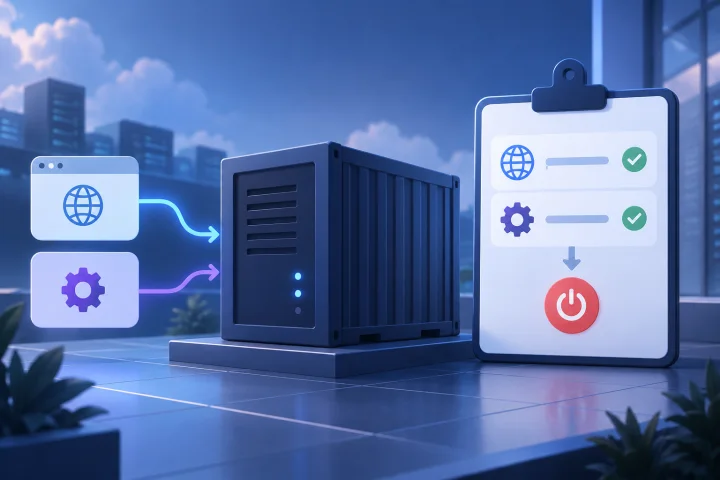
A container stop is an application lifecycle event
A successful restart shows that an application can start again. It does not, by itself, show what happened to requests, user activity, queued work, or data that was being changed when the stop began.
Treat routine replacement, maintenance, and host-level restarts as occasions to verify the application’s shutdown behavior. The important question is not simply “Did it come back?” but “What happened to representative work while it stopped?”
- List the operations that would be costly or confusing if interrupted.
- Separate work that users can safely repeat from work that must complete or be reconciled.
- Record what evidence would demonstrate a safe stop for each operation.

Find out how the application responds to termination
Do not assume every application responds to a container stop in the same way. Start with the official documentation for the application and the exact image or deployment setup you use. Look for its shutdown procedure, supported termination signal, and any prerequisites for clean exit.
Then compare the documented behavior with your actual deployment configuration. If the documentation is unclear, ask the application maintainer or hosting provider what is sent to the process and how long it is allowed to exit. Treat an unanswered question as an operational risk to resolve before planned maintenance.
- Write down the application and image version currently deployed.
- Find the documented stop procedure and confirm it applies to that deployment.
- Check the configured termination signal and shutdown timeout rather than relying on defaults you have not verified.
- Identify whether any separate worker, scheduler, database, or other service has its own shutdown procedure.

Check in-flight requests and user sessions
A request that is active when the application stops may finish, fail, or leave the user uncertain about whether an action succeeded. The result depends on the application and its configuration, so verify it instead of assuming that a successful restart answers the question.
Test the workflows that matter to your users: for example, saving a record, submitting a form, or uploading a file. Check both the user-facing result and the resulting application data. Also determine what users see if they try to connect during the stop and replacement.
- Choose a representative request that changes data, not only a page that can be refreshed.
- Check whether the user receives a clear success or failure outcome.
- After replacement, verify whether the operation completed, can be retried safely, or needs manual reconciliation.
- Document how users should respond if they are unsure whether an action succeeded.
Trace background jobs from start to outcome
Background work may not be visible in the browser, but it can matter just as much as a web request. Find out how the application treats a job interrupted by shutdown: does it finish, pause, retry, fail visibly, or require an administrator to intervene? Do not presume one behavior without application-specific documentation or a test.
Include work that can take longer than a typical request, such as scheduled processing, imports, exports, or AI tasks, when those operations are part of your use case.
- Identify where pending and active jobs are recorded, if the application documents this.
- Check whether retries are automatic, manual, or unsupported, and whether repeating a job can cause duplicate effects.
- After a test stop, inspect the job status and the expected output—not only the container status.
- Record any job types that should be allowed to finish or paused before maintenance.
Review shutdown timeouts and forced termination risk
A shutdown timeout is a limit on how long the configured process or service is given to stop. If the application needs longer than the available time, work may not finish as intended. The correct value and behavior are specific to the application and runtime configuration; consult their documentation rather than choosing a number by guesswork.
Check whether the timeout used in your deployment is long enough for the representative work you tested. A longer allowance alone does not establish safety: the application must also handle the stop correctly, and dependent services must be considered.
- Find the timeout value that applies to the actual stop or replacement operation.
- Compare it with observed shutdown time during a representative test.
- Check the documented outcome if the application does not exit within that period.
- If work regularly exceeds the available time, determine whether it should be drained, paused, or handled through a different maintenance procedure.
Test a representative stop and replacement safely
Test in a non-production environment where possible. Use realistic but disposable data, and avoid testing with work whose interruption could harm a customer or create irreversible external effects.
A useful test follows an operation from start to final result. Record what was happening, initiate the same kind of stop or replacement you expect during maintenance, then inspect application behavior and data after it returns. A green container status is only one observation in that test.
- Choose one representative web request and one relevant background job.
- Note their expected outcome before stopping the application.
- Perform the planned stop and replacement using the procedure you intend to use operationally.
- Check logs or application status where available, user-visible results, stored data, and whether a retry is safe.
- Repeat for a longer-running operation if your normal work includes one.
- Do not treat a staging result as proof for a different application version or materially different configuration.
Document maintenance steps and remaining responsibilities
Turn the test into a short maintenance runbook. Include what to check before stopping, how to handle active work, what to verify after replacement, and who decides whether the service is ready for users again. State known limitations plainly, including workflows that may need manual recovery.
Backups are a separate safeguard from graceful shutdown. Confirm which data is covered, how often backups are made, and how you would restore and verify the application. Do not assume that having a backup proves an interrupted operation was handled consistently.
- Record the application-specific stop instructions and relevant configuration.
- Tell users about planned interruptions when appropriate and explain what to do with uncertain or interrupted work.
- Set a clear post-maintenance verification checklist and escalation contact.
- Review the procedure after application, image, or deployment changes.
- If you use managed hosting, clarify which lifecycle tasks the provider handles and which decisions—such as data, access, and recovery—remain yours.
What managed hosting changes—and what it does not
Airbip provides managed deployment of business, publishing, analytics, collaboration, and AI applications. Application instances run as Docker workloads on Airbip cloud servers; Airbip also provides service lifecycle management and configurable daily, weekly, and monthly backups.
Those infrastructure capabilities do not establish how a particular application handles an interrupted request or job. Check the documentation and test the workflows that matter to your team. Confirm backup scope and recovery responsibilities as part of your own operating plan.
- Use application-specific evidence to assess shutdown behavior.
- Confirm the boundaries of managed service and customer responsibility before relying on a maintenance procedure.
- Choose a deployment model that fits your need for control, operational support, and recovery planning.
Frequently asked questions
Does a successful Docker restart prove that shutdown was safe?
No. It shows that the application started again, but does not establish what happened to requests, sessions, background jobs, or data during the stop. Verify representative work and its outcome.
Which termination signal does my application receive?
Check the official documentation for your application and image, then verify the actual deployment configuration. Do not assume the signal or shutdown behavior is identical across applications.
How long should I set the shutdown timeout?
There is no universally safe value established here. Check the application's requirements and your runtime configuration, then compare the available time with observed shutdown behavior during a representative test.
What should I test before maintenance?
Test a representative request that changes data and any important background job. Verify the result after replacement, including whether work completed, failed clearly, or can be safely retried.
Do backups make interrupted work safe?
Not necessarily. Backups are a recovery measure, not proof that a particular request or job completed consistently. Confirm what is covered and test your restoration process separately.
Sources and further reading
- Docker documentation — Docker
- Traefik documentation — Traefik Labs
- Let’s Encrypt documentation — Internet Security Research Group