Will Your App Data Survive a Container Rebuild? A Docker Persistence Checklist
A stopped container and a replaced container are not the same test. Map where your application stores data and configuration, check its deployment instructions, and verify persistence with a controlled replacement.
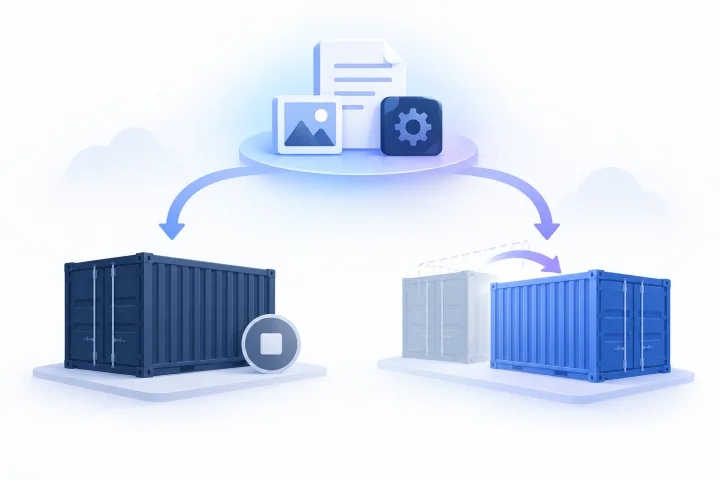
Why container replacement matters
A container can be stopped and started again, or removed and replaced during a deployment change. Those are different lifecycle events, so a successful restart does not prove that important application data will survive replacement. Docker’s getting-started documentation treats data persistence as a distinct concept ([Docker documentation](https://docs.docker.com/get-started/docker-concepts/running-containers/persisting-container-data/)).
A stopped container’s writable layer remains available until that container is removed; starting the same container brings it back ([Dash0, “How to Preserve Data When a Docker Container Exits”](https://www.dash0.com/faq/how-to-preserve-data-when-a-docker-container-exits)). That does not establish what happens to data during removal and replacement. Test the lifecycle event you actually care about.
- Name the change you want to test: restart, update, removal and recreation, or another provider-managed action.
- Use a non-production environment or data that is safe to lose for an initial test.
- If you cannot tell whether a change reuses or replaces the container, ask whoever manages the deployment.

Map data, configuration, and storage locations
Make a short inventory of what the application creates or relies on, such as database-related data, user uploads, configuration, generated files, or logs. These are categories to investigate, not a claim that every application stores them in the same way.
For each item, note where the application or deployment says it lives: in the container, at a configured mount, in another service, or in deployment configuration. Mark anything you cannot verify as unknown. Application-specific paths and initialization behavior need to be checked in that application’s own deployment documentation.
For each configured mount, record its type, source and destination as shown in the deployment, intended purpose, and documented behavior during the replacement procedure. A mount’s name alone does not establish what it contains or whether the procedure preserves it.
- Data or setting: What is it, and what would the impact be if it disappeared?
- Location and evidence: Where does the application or deployment say it lives, and which instructions or settings support that?
- Lifecycle: What is expected to happen to that location during the change you plan to test?
- Unknowns: What needs confirmation before a production change?

Check the deployment instructions before testing
Use the application vendor’s official deployment documentation to identify required data paths, configuration inputs, and first-run or initialization behavior. Compare those instructions with the actual deployment definition; do not copy a path from another installation or assume a fresh container will handle existing data as intended.
If a required path is not configured, an initialization step is unclear, or the deployment does not match the instructions, pause and seek clarification before testing with important data. Record the documentation and settings you checked so your expectations are tied to the deployment you are actually using.
- Which documented paths contain state or user data, and does the deployment define storage for them?
- What does the application documentation say about first-run behavior or a path that already contains data?
- How is configuration supplied in this setup, according to its documentation?
- Which settings or lifecycle details remain unverified?
Run a controlled persistence test
Test the exact lifecycle event you are concerned about, using data that is safe to lose. Prefer a non-production environment. If a live-service test is necessary, get approval and use a low-risk item that can be identified and removed afterward.
Create a clearly named test item through the application and record how to recognize it. Follow the documented replacement procedure—not a simple stop-and-start if your concern is removal and recreation. Afterward, check whether the item is present and usable, and separately verify other inventoried data that matters.
Record the result and any changed assumptions. A passing test applies to that deployment and procedure; it does not establish how every data category or a different recovery scenario will behave.
- Before: Record the application, deployment, test item, and lifecycle action.
- After: Check the test item and any other important data categories.
- Document: Note the procedure, result, missing or changed data, and remaining questions.
- Clean up: Remove the test item if appropriate and confirm the application is in its intended state.
Keep persistence, backups, and responsibilities distinct
Persistence and backup answer different questions. A location remaining available through one replacement procedure does not establish whether data can be recovered after loss or error. Document separately what needs backup, what a backup covers, how recovery works, and who is responsible for each step.
Also establish who can access the application, its storage configuration, and any recovery mechanism. Do not assume a hosting arrangement determines which data is covered, how long it is retained, or who can restore it.
Airbip offers configurable daily, weekly, and monthly backups. The available product information does not specify which application data each backup includes or the recovery procedure, so confirm those details for your needs.
- Identify the data that must be recoverable and who confirms backup coverage.
- Ask what backups include and exclude, and how recovery is requested and performed.
- Confirm who can access or administer the application data and deployment settings.
- Keep backup and recovery expectations separate from the persistence test result.
Questions to ask a managed-hosting provider
Ask for answers tied to your application’s deployment and the specific lifecycle event you care about, rather than relying on general assurances. Use the answers to decide whether the managed model fits your data, access, and governance requirements.
Airbip runs application instances as Docker workloads on its cloud servers and provides service lifecycle management. It automates routing and TLS certificates through Traefik and Let’s Encrypt, and offers configurable daily, weekly, and monthly backups. These capabilities do not, by themselves, specify which application paths persist through replacement or what a backup includes.
If a provider cannot clarify deployment details you need to control, or its service does not meet your governance requirements, evaluate a deployment model that gives you the control you need.
- What exact action counts as a container replacement for my instance, and which data and configuration locations are retained through it?
- What supports that answer, and where can I review application-specific storage settings?
- What do backups include, how does recovery work, and who is responsible for each step?
- Which access controls apply, and what changes or actions remain my responsibility?
Frequently asked questions
Does data in a stopped Docker container disappear immediately?
No. A stopped container’s writable layer remains available until that container is removed, and starting the same container brings it back. This does not establish what happens when the container is removed and replaced.
Is restarting a container a valid persistence test?
It tests restarting that same container, not necessarily removing and replacing it. If replacement is the event you need to understand, follow the documented replacement procedure in a safe environment.
Are named volumes and bind mounts automatically safe for my application data?
Do not assume so. Check the application’s deployment instructions and actual deployment settings to determine which paths are mounted, what they contain, and what happens during the change you plan to test.
What should I ask a managed-hosting provider about persistence?
Ask which data and configuration locations remain through the specific replacement procedure, what backups include, how recovery works, and which responsibilities remain yours.