A Safer Staging Environment for Self-Hosted Applications: Isolation, Data and Side Effects
Build a staging environment that is production-like where tests need it—and deliberately separate everywhere a test could expose data, send messages, charge money or change a business system.
Start with the purpose of staging
A self-hosted application staging environment is a place to test a planned change before it reaches production. The right setup depends on what you need to prove: that a configuration works, an integration behaves as expected, an update can be completed, or a workflow is acceptable to users.
Write down the test objective before building or refreshing staging. A configuration check may need only a small set of representative records. An integration test may need a test account at the external service. A user acceptance test may need realistic roles and workflows, but not real customer identities.
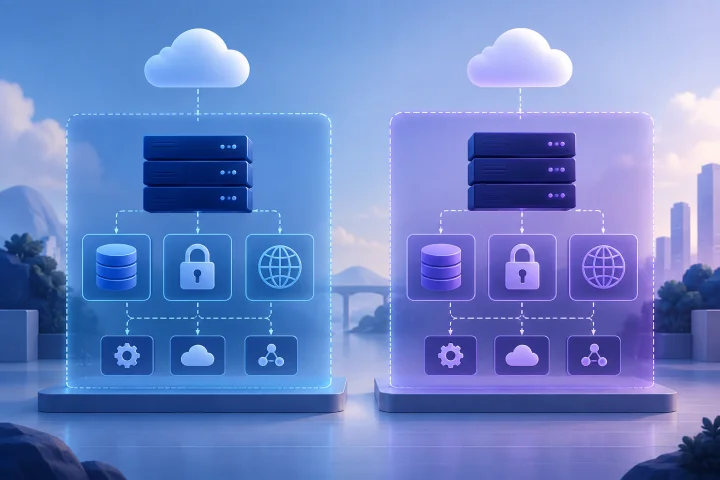
Avoid treating staging as a second production system by default. Reproduce the components and behavior required for the test, and isolate or substitute anything that could cause a real-world side effect.
- What change or workflow is being tested?
- What result would count as a successful test?
- Which production dependencies must be represented for that result to be meaningful?
- Which actions must staging never perform against real users, money, or business records?

Map dependencies before copying the environment
List the application’s dependencies and classify each as required, simulated, or intentionally unavailable in staging. Consider the database, file storage, identity and login services, email delivery, payment processing, webhooks, scheduled tasks, external APIs, DNS, and any system that receives data from the application.
Then ask what production parity means for the test in question. Matching the application configuration or deployment shape may be useful; copying every production record and connection is not automatically useful or safe. Docker documents using environment-specific Compose configuration for environments such as staging and production, including differing ports, environment variables, and external-service settings.
Record each intentional difference. For example, staging may use a separate database and domain, test credentials, disabled scheduled actions, or a substitute for an external service. This makes it easier to interpret test results and revisit the differences when the application or its dependencies change.
- Dependency: What does the application connect to?
- Test need: What behavior must be reproduced?
- Staging choice: Real test service, controlled substitute, or disabled?
- Risk if misconfigured: What could a test send, expose, or change?

Separate instances, domains, credentials, and permissions
Give staging its own application instance and persistent data stores rather than pointing it at production resources. Use a clearly distinguishable staging domain or subdomain, and confirm that routing sends it to the staging service. Traefik routers, for example, can match requests by hostname and forward them to a configured service; the hostname rule should correspond to the intended environment.
Use staging-specific credentials for the database, application, and external services. Do not copy production secrets into staging just because the deployment configuration is otherwise similar. Docker Compose secrets can be granted to services explicitly, which supports limiting which services can access a secret.
Review access permissions as carefully as infrastructure. Limit staging access to people who need it, and use separate accounts and roles where practical. Staging is not automatically private because it has a different name or URL. Check its authentication, routing, and any network exposure before sharing the address.
Check how ports are published. Docker documents that published ports can be accessible on the host’s network addresses; binding a port to a specific interface is an exposure decision, not just a convenience setting. Only expose staging access as broadly as the test requires.
- Use a distinct instance, database, and storage location.
- Use a staging domain that cannot be mistaken for production.
- Create staging-specific credentials and grant access only where needed.
- Verify authentication and network exposure before inviting testers.
- Check that environment-specific configuration cannot silently fall back to production endpoints.
Use representative test data without copying sensitive records by default
Test data should be realistic enough to exercise the behavior under review, but realism does not require a wholesale production copy. Begin with generated or deliberately selected test records. Include the edge cases the test depends on—such as different account roles, incomplete records, or boundary values—without importing identifiable customer information unnecessarily.
If production-like data is genuinely needed, decide what fields are necessary and how sensitive fields will be removed, masked, or anonymized before use. OWASP’s DevSecOps Maturity Model describes production-like test data as useful and notes that personally identifiable information is often anonymized. Treat a data refresh as a governed operation: define who can request it, who can access the result, and when it must be removed.
Remember that a database is not the only place information can persist. Review uploaded files, exports, application logs, test accounts, and backups as part of the data plan. Set retention rules before loading data, not after a test has ended.
- Prefer generated or purpose-built test records.
- Import only the fields and records needed for the test.
- Anonymize or otherwise protect personal information before use.
- Set an owner and retention date for staging data and its copies.
- Check logs, files, and backups as well as the database.
Prevent email, payment, webhook, and job side effects
Treat every outbound action as a possible production incident until you have proved it is contained. A test that looks correct in the application could still email a customer, create a real payment, update a connected CRM, or trigger another system through a webhook.
Where possible, use the external provider’s test or sandbox mode and staging-specific credentials. Stripe documents test values for simulating payment scenarios without moving money and advises using test API keys rather than real card details. For email scenarios, Amazon SES provides a mailbox simulator for testing outcomes such as delivery, bounce, complaint, and automatic responses.
For services without a suitable test mode, use a controlled substitute or disable the connection during staging. For webhooks, point to a test receiver or another endpoint explicitly approved for staging. Review scheduled actions and background work: disable them, restrict their scope, or direct them to test services so that a routine run cannot affect production.
Test the safeguards themselves. Confirm that a staging email stays within the test path, a payment uses test credentials, and a webhook reaches the intended receiver. Do not rely on a warning banner or a naming convention as the only barrier.
- Replace production API keys and account identifiers with test equivalents.
- Use provider sandbox or simulator facilities where available.
- Redirect email and webhooks to controlled test destinations.
- Disable or constrain scheduled actions that could contact real systems.
- Run a small verification test and inspect the destination before broader testing.
Limit network access to what the test requires
Isolation includes connections going out from staging, not only incoming access to its web interface. List the external services the test needs, then restrict or omit other integrations where your deployment model allows it. This reduces the chance that a misconfiguration, copied credential, or background task reaches an unintended system.
Also consider dependencies that are easy to overlook: production databases, shared file stores, identity providers, DNS records, and monitoring or notification destinations. If a test genuinely requires a production-connected dependency, document the reason, the permitted actions, and the safeguards before enabling it.
TLS testing deserves care too. Let’s Encrypt recommends using its staging environment before production, but its staging certificates are not trusted by ordinary browser and client trust stores. The project also notes that external requests to the staging API can introduce instability and identifies Pebble as an ACME server intended for CI and development testing. Choose a test approach suited to the task rather than assuming a staging certificate is suitable for ordinary browser use.
- Allow only the inbound access needed by testers and automated checks.
- List required outbound destinations and review them after configuration changes.
- Keep staging away from production databases and shared storage unless a specific test requires otherwise.
- Document any unavoidable production connection and constrain its permissions.
- Separate certificate testing from normal browser trust expectations.
Keep staging useful as production changes
Staging becomes misleading when its differences from production are undocumented or out of date. Keep a short environment note with the application configuration, data approach, external-service substitutions, access rules, and known limitations. When production changes, review whether staging still represents the behavior the next test needs to assess.
Docker Compose supports applying environment-specific configuration with an additional Compose file. That can help make differences explicit, but it does not decide which differences are safe or appropriate for your application. Review configuration and secrets before each test cycle, especially after changing domains, integrations, or deployment settings.
A useful staging environment is not necessarily identical to production. It is sufficiently representative for a named test, while remaining contained from production data and side effects. If it cannot reproduce a critical dependency safely, document that limit and avoid treating the result as proof of behavior that was not tested.
- Maintain a concise list of deliberate differences from production.
- Review that list after application, integration, or infrastructure changes.
- Confirm the test environment still covers the behavior being assessed.
- Record limitations so testers do not overstate what a successful test proves.
Set retention rules and use a deliberate teardown
Before testing starts, decide when staging accounts, test records, logs, uploaded files, and backups will be reviewed or removed. Assign an owner and specify which resources must be preserved for a follow-up test. A staging environment that is never cleaned up can accumulate sensitive data, old credentials, and confusing test artifacts.
Plan teardown as a review, not a single command. Docker documents that Compose down does not remove named volumes by default; the --volumes option removes named volumes declared in the Compose file and anonymous volumes attached to containers. Because volumes can contain persistent application data, inspect the configuration and confirm the target environment before removing them.
If staging is managed by a hosting provider, clarify which infrastructure tasks the provider handles and which choices remain yours. Airbip manages application deployment as Docker workloads on its cloud servers and automates routing and TLS certificates, with DNS checks, service lifecycle management, and configurable daily, weekly, and monthly backups. Those infrastructure capabilities do not determine what data you place in staging, who can access it, or which integrations it may contact. Set those rules for your own application and team.
- Name the person responsible for staging data and cleanup.
- Decide what to retain, for how long, and why.
- Before teardown, verify the project, domain, database, and volumes belong to staging.
- Check whether backups or exported files contain data that also needs cleanup.
- Confirm production services and data remain untouched after teardown.
Frequently asked questions
Does staging need to be identical to production?
No. It needs to reproduce the dependencies and behavior required by the test. Keep differences deliberate and documented, and isolate data, credentials, domains, and external effects that do not need to be production-connected.
Should I copy production data into a self-hosted application staging environment?
Not by default. Start with generated or purpose-built test data. If production-like data is necessary, limit what you copy and protect or anonymize personal information. Define access and retention rules for the imported data and its copies.
How can I stop staging from sending real emails or charging real payments?
Use test credentials and provider test or sandbox facilities where available. Otherwise, route actions to controlled substitutes or disable them. Verify the destination with a small test before running broader scenarios.
Does managed hosting make staging data and access decisions for me?
No. Managed infrastructure can handle deployment and related hosting operations, but the application owner still needs to decide what data staging contains, who can access it, and which services it can contact.
What should I check before deleting a Compose staging environment?
Confirm that you are targeting staging, review which containers and volumes the command will affect, and decide whether persistent data should be kept or removed. Docker Compose does not remove named volumes by default; its --volumes option does remove declared named volumes and attached anonymous volumes.
Sources and further reading
- Use Compose in production — Docker
- Compose secrets — Docker
- Docker port publishing and mapping — Docker
- Traefik HTTP routers — Traefik Labs
- Let’s Encrypt staging environment — Internet Security Research Group
- OWASP DSOMM: Production-near environments — OWASP
- Stripe testing — Stripe
- Sending test emails with the Amazon SES mailbox simulator — Amazon Web Services
- docker compose down — Docker