Transactional Email for Self-Hosted Applications: A Practical Setup and Failure-Planning Guide
Transactional email is a core dependency for self-hosted applications, not a checkbox. Learn how to inventory essential messages, choose a sending model, authenticate your domain, protect SMTP credentials and prepare for delivery failures.
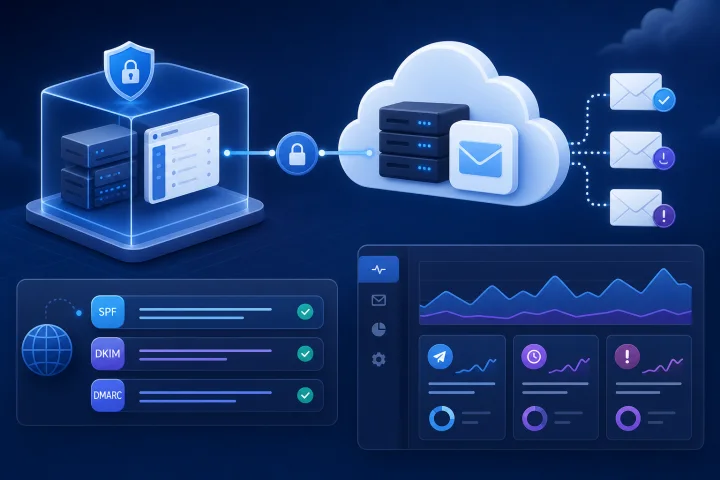
Why transactional email is an operational dependency
For a self-hosted CRM, ecommerce store, publishing system, project workspace, form tool or automation platform, email often carries actions that users cannot complete in the application alone. Invitations establish access, password-reset links restore it, order confirmations document a purchase, and workflow alerts move work forward. When these messages fail, the visible symptom may look like an application problem even when the application itself is otherwise available.
Treat email as a named dependency with an owner, documented configuration and a tested failure path. This is a practical risk-management exercise: NIST’s Cybersecurity Framework 2.0 is intentionally non-prescriptive, designed to help organizations understand, assess, prioritize and communicate risk rather than mandate one implementation. Apply that mindset to each message flow and decide what failure is acceptable, who responds and how users are informed. Source: https://www.nist.gov/publications/nist-cybersecurity-framework-csf-20
Do not equate web hosting with outbound email delivery. An application can be reachable over HTTPS while its message submission service, sender-domain DNS records, credentials or downstream mail delivery are unavailable. In SMTP terms, message submission is how a client introduces a new message into the mail-routing network; the accepting component is called a Message Submission Agent. Source: https://www.rfc-editor.org/rfc/rfc6409.html
- Assign a business owner for message content and user communications.
- Assign a technical owner for sending configuration, credentials, DNS and monitoring.
- Record the sending domain, sender addresses, submission endpoint, authentication method and credential location.
- Define an escalation path for failed password resets, invitations and order-related messages.
- Include email dependency checks in launch and change-management procedures.

Inventory every message and classify its business impact
Start with the application’s real message inventory rather than its SMTP settings screen. Search configuration, templates, jobs and workflow rules, then trigger representative actions in a non-production environment. Include messages initiated by users, scheduled tasks, administrative actions, integrations and background workers.
For each message type, record the trigger, intended recipient, From address, Reply-To address, sending domain, expected volume, whether it contains a time-limited link, and what the application records after attempting delivery. This inventory exposes hidden dependencies, such as a background queue that sends account invitations or an automation that delivers a critical exception alert.
Classify impact by the consequence of non-delivery, not by how polished the message looks. A password-reset email is usually access-critical. A weekly digest may be deferrable. A notification that a submitted form was received may require a visible confirmation in the application even if its email is delayed. The classes and fallbacks below are design choices: adapt them to your application, user needs and governance requirements.
- Access-critical: password resets, verification links, user invitations and security notices.
- Transaction-critical: order confirmations, customer receipts, request acknowledgements and time-sensitive approvals.
- Workflow-critical: assignment alerts, escalation notices and automation exceptions.
- Operational: administrator alerts, backup-related notifications and integration error messages.
- Deferrable: digests, reminders and non-urgent activity summaries.
- For each class, choose a target response that fits the workflow: retry automatically, show a warning, offer an alternate path, create an operator task or stop the affected workflow.

Choose a sending arrangement by responsibilities, not labels
The labels “external SMTP relay” and “dedicated email service” can overlap. Instead of assuming that one label guarantees a particular function, compare the documented responsibilities of each candidate service. SMTP message submission is distinct from later message transfer and delivery, but RFC 6409 does not define a uniform commercial-provider boundary for routing, event feedback, support or delivery operations. Source: https://www.rfc-editor.org/rfc/rfc6409.html
An external submission service can provide an authenticated endpoint for the application to submit messages. A service may also offer delivery events, bounce or complaint feedback, suppression handling, sending controls or support processes, but these capabilities and their limits vary. Confirm them in the provider’s current documentation and decide who owns the resulting operational work.
Internally operated mail infrastructure gives a team direct responsibility for the mail stack. That includes availability, security, domain authentication, reputation operations, queue management and incident response. It can suit organizations whose control or governance requirements justify that continuing specialist work.
- Compare documented submission authentication and credential-scoping options.
- Confirm whether delivery, delay, bounce and complaint feedback is available, how it is accessed, and who responds to it.
- Establish how invalid or suppressed recipient addresses are handled, where that capability is offered.
- Review sending limits, governance controls, support boundaries and failure reporting.
- Choose an external service when its documented responsibilities and controls fit your operating capacity.
- Choose internally operated infrastructure only when control requirements justify the ongoing operational burden.
- Decide whether application mail and personal mailbox hosting should have separate ownership or configuration based on your organization’s operational needs; this is not a universal requirement.
Authenticate the sender domain before relying on it
Use a domain that your organization can administer in DNS for the identities involved in sending. SPF authorization is published in DNS as TXT data and declares which hosts are authorized to use a domain name for SMTP identities. SPF does not, by itself, authenticate the visible RFC 5322 From address. Without DNS control, you cannot independently publish or correct the SPF authorization. Source: https://www.rfc-editor.org/rfc/rfc7208.html
DKIM adds a cryptographic signature through which a signing domain asserts responsibility for a message. A recipient verifier retrieves the corresponding public key from the signing domain. DKIM selectors partition the key namespace, which supports publishing a new key under a new selector and transitioning away from an old one. Current DKIM signing must use rsa-sha256; rsa-sha1 must not be used for signing or verification. Sources: https://www.rfc-editor.org/rfc/rfc6376.html and https://www.rfc-editor.org/rfc/rfc8301.html
DMARC ties authentication to the visible RFC 5322 From domain. A DMARC pass requires SPF or DKIM to pass and for the authenticated domain to align with that author domain. The DMARC specification also defines a DNS policy record and reporting requests; aggregate-report destinations are identified with the rua tag. Source: https://www.rfc-editor.org/rfc/rfc9989.html and https://www.rfc-editor.org/rfc/rfc9990.html
Authentication is not an inbox-placement guarantee. A DMARC pass validates authorized use of the author domain, but does not establish that delivering a message to an inbox is safe or desirable. Treat SPF, DKIM and DMARC as essential domain controls, then separately monitor delivery outcomes and user experience. Source: https://www.rfc-editor.org/rfc/rfc9989.html
- Confirm control of the relevant DNS zone before choosing the visible From address.
- Publish the SPF record required by your selected sending service; avoid guessing which hosts belong in it.
- Publish the DKIM public key records provided for your configured selector or selectors.
- Confirm that the domain authenticated by SPF or DKIM aligns with the visible From domain used by the application.
- Publish and review a DMARC policy record and decide who receives aggregate reports through rua.
- Plan DKIM key replacement with selectors rather than overwriting a working key without a transition plan.
- Document every DNS record’s purpose, owner and change date.
Protect SMTP credentials and separate environments
An SMTP credential is a production secret, not an application preference to paste into a ticket, chat message or source repository. Authenticated SMTP lets the submission service establish an authorization identity, which supports using scoped credentials rather than an open relay. Source: https://www.rfc-editor.org/rfc/rfc6409.html
Apply least privilege to the credential and to the people and systems that can retrieve it. OWASP recommends fine-grained access controls, reduced human handling, supported or automated rotation where possible, and monitoring of access to secrets. If one secret-management system cannot adequately limit development access to production secrets, OWASP advises considering separate production and development secret-management solutions. Source: https://cheatsheetseries.owasp.org/cheatsheets/Secrets_Management_Cheat_Sheet.html
For a Docker Compose deployment, Compose secrets can deliver a secret as a file under /run/secrets inside a Linux container. This can be useful for credential delivery where the application supports it, but it does not itself operate outbound email delivery, authenticate a sending domain or handle bounces. Source: https://docs.docker.com/compose/how-tos/use-secrets/
- Use a distinct credential for each application and environment where the sending service supports it.
- Do not reuse production SMTP credentials in development, test or staging.
- Store secrets outside source control and restrict read access to the smallest practical set of people and workloads.
- Prefer scoped sending permissions over broad or shared account credentials when available.
- Set a rotation procedure: create replacement credential, update the application, test, revoke the old credential and record completion.
- Log secret access in the secret-management system where possible; never log the secret value.
- Ensure error logs and support exports redact SMTP usernames, passwords and connection strings.
Plan for delayed, rejected and invisible messages
A sending attempt is not one outcome. SMTP enhanced status codes distinguish persistent transient failures, in the 4.X.X class, from permanent failures, in the 5.X.X class. A transient failure may succeed after retry; a permanent failure requires a change to the message or destination for successful delivery. Source: https://www.rfc-editor.org/rfc/rfc3463.html
Your application, queue architecture or sending service may retain enough state to distinguish accepted, delayed and definitively failed messages, but the available telemetry varies by stack. Verify what your specific application, queue and sending provider can record and expose. RFC 6409 notes that delayed bounces require the client to maintain a queue and match bounces to submitted messages. The practical implication is that an operator needs correlation between the business event, the application’s submission attempt and any later delivery feedback that the stack makes available. Source: https://www.rfc-editor.org/rfc/rfc6409.html
Do not hide critical send failures behind a generic success message in authenticated or administrative workflows. For public, unauthenticated password-reset requests, use a consistent response regardless of whether an account exists; OWASP recommends this approach to prevent account enumeration. Account-enumeration protection is separate from internal delivery-outage detection and response, which still need monitoring and an owner. Provide a safe support or recovery route. If an order confirmation is delayed, preserving the confirmation in the account or transaction interface may be an appropriate fallback where the application supports it. Sources: https://cheatsheetseries.owasp.org/cheatsheets/Forgot_Password_Cheat_Sheet.html
- For temporary failures: where the stack supports queueing and retry, choose a bounded retry policy, record each attempt and alert an owner if delay exceeds the business threshold.
- For permanent failures: where failure feedback is available, stop blind retries, retain the failure reason, correct the address or configuration where appropriate and make the affected business process visible to an operator.
- For bounces and complaints: if your sending model provides these events, define who reviews them, how suppressed or invalid addresses are handled, and how problems are linked back to the originating application record.
- For rate limits: know the limits imposed by your selected sending arrangement and prevent batch jobs from crowding out password resets or other access-critical messages.
- For user experience: specify what the application shows immediately, what can be checked later and what alternate channel or support route exists. Keep public account-recovery responses consistent and non-enumerating.
- For incident response: keep a runbook covering DNS mistakes, expired or revoked credentials, provider outage, queue backlog, authentication failure and a sudden rise in permanent failures.
Test the complete path before launch and assign monitoring ownership
Adopt end-to-end testing as an acceptance-test standard rather than relying only on a configuration check that connects to an SMTP server. Test representative messages using the actual sender domain, application templates, links and recipient destinations that reflect normal use. Test both interactive paths, such as a password reset, and background paths, such as scheduled alerts or queued notifications. The tests available and the states they can verify will vary by application, queue and sending arrangement.
Check DNS authentication records independently after publishing them, then inspect representative received messages to confirm the intended sender identity and authentication results. DNS problems are not all alike: SPF defines temperror as a transient, generally DNS-related error that may succeed on retry, while permerror indicates records that require DNS operator intervention. Source: https://www.rfc-editor.org/rfc/rfc7208.html
Monitoring needs a named person or team, a review cadence and a defined action. A dashboard with no owner does not reduce recovery time. Verify the telemetry available from your application, queue architecture and sending arrangement, then connect monitoring to the inventory: access-critical flows need faster review than deferrable messages.
- Verify DNS control and published SPF, DKIM and DMARC records before production sending.
- Send a representative message for every high-impact template and workflow.
- Complete a password-reset test from request through receipt and successful use of the reset link, while confirming that the public request response remains non-enumerating.
- Verify From and Reply-To behavior, including who receives replies.
- Test temporary and permanent failure handling where your application and sending service permit safe simulation.
- Confirm that background jobs, queues and scheduled tasks are active and observable.
- Confirm which submission, bounce, complaint, delay and delivery information your specific stack exposes, if any.
- Set alerts for submission failures, growing queues, credential failures and abnormal permanent-failure patterns where those signals are available; assign an owner for each alert.
Understand hosting boundaries and choose the right fit
Managed application hosting can handle infrastructure around a self-hosted workload, while outbound email remains a separately selected and operated dependency. Airbip deploys applications from its public catalog as Docker workloads on Airbip cloud servers. It automates routing and TLS certificates through Traefik and Let’s Encrypt, includes DNS checks, service lifecycle management and configurable daily, weekly and monthly backups, and supports an Airbip subdomain or a compatible custom domain. Verify the current documented service offering and boundaries on the live Airbip website: https://airbip.com/
The practical responsibility matrix is concise: the hosting provider operates the documented application-infrastructure layer; the application owner configures application mail behavior; the DNS owner maintains sender-domain records; the selected email-service or mail-infrastructure owner operates its documented sending functions; and the organization assigns incident ownership for failed business communications.
Airbip can fit when you want managed deployment for the self-hosted application workload and have selected, or can select, an appropriate outbound-email arrangement. A specialist email platform may be a better fit when email operations, event processing or sending controls are a central requirement. Internally managed infrastructure may be more appropriate where governance or control requirements justify the specialist operational work.
- Use a managed application host for the application infrastructure layer: deployment, routing, TLS, service lifecycle and backups, according to the provider’s documented offering.
- Use the application’s documented mail configuration to connect it to your chosen submission service.
- Use your DNS authority and email-service documentation to configure and maintain sender authentication.
- Keep clear ownership boundaries: hosting owner, application owner, DNS owner, email-service owner and incident owner.
- Review the live Airbip website for the documented service offering, plan details and commercial terms rather than relying on assumptions.
- Revisit the arrangement when message volume, regulatory requirements, incident frequency or integration needs change.
Frequently asked questions
Does self-hosted application hosting include transactional email delivery?
Not necessarily. Hosting an application and providing outbound mail submission and delivery are separate functions. Confirm the application’s email configuration requirements, select a sending arrangement, configure the sender domain and define who monitors failures.
Do I need SPF, DKIM and DMARC for transactional email?
They address different parts of sender-domain authentication. SPF publishes authorized hosts for SMTP identities in DNS; it does not by itself authenticate the visible From address. DKIM provides a domain-based cryptographic signature. DMARC requires aligned SPF or DKIM authentication for the visible From domain. Configure them deliberately for the domain used by the application.
Is DMARC authentication a guarantee that messages reach the inbox?
No. A DMARC pass validates authorized use of the author domain under the protocol’s rules. It does not guarantee inbox placement or that delivery is appropriate.
How should an application handle SMTP 4xx and 5xx errors?
Treat them differently. SMTP 4.X.X failures are persistent transient failures and may warrant a bounded retry policy where the application or sending stack supports it. SMTP 5.X.X failures are permanent and generally require a change to the message or destination rather than repeated retries.
Can I put SMTP credentials in a Docker Compose file?
Avoid storing credentials in source-controlled Compose files. Use a suitable secret-management approach with least-privilege access and rotation. Where supported, Docker Compose secrets can provide a secret to a Linux container as a file under /run/secrets.
What should I test before enabling production email?
Use end-to-end testing as an acceptance standard: verify SPF, DKIM and DMARC records; send representative messages; complete a real password-reset flow while keeping the public request response non-enumerating; check sender and reply behavior; confirm the telemetry your stack actually provides for queues and failures; and assign owners for alerts and recovery actions.
Sources and further reading
- RFC 6409: Message Submission for Mail — IETF / RFC Editor
- RFC 7208: Sender Policy Framework (SPF) — IETF / RFC Editor
- RFC 6376: DomainKeys Identified Mail (DKIM) Signatures — IETF / RFC Editor
- RFC 8301: Cryptographic Algorithm and Key Usage Update to DKIM — IETF / RFC Editor
- RFC 9989: Domain-Based Message Authentication, Reporting, and Conformance (DMARC) — IETF / RFC Editor
- RFC 9990: DMARC Aggregate Reporting — IETF / RFC Editor
- RFC 3463: Enhanced Mail System Status Codes — IETF / RFC Editor
- Secrets Management Cheat Sheet — OWASP Foundation
- NIST Cybersecurity Framework (CSF) 2.0 — National Institute of Standards and Technology
- Manage secrets securely in Docker Compose — Docker