Bundled or External Database? How to Choose a Database Architecture for a Self-Hosted Application
Choosing between an application-supported bundled database and a separately operated database is primarily a decision about operational boundaries, ownership and recoverability. Use this framework to verify application requirements, map every persistent data store and assign clear responsibilities before launch.
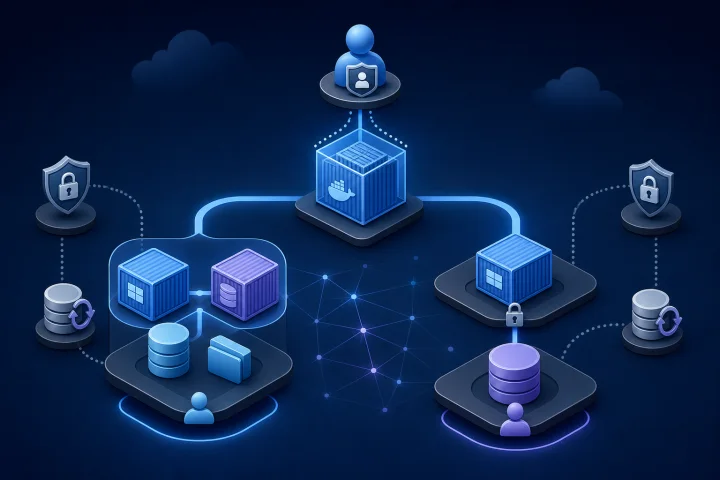
Start with the operating boundary, not the more sophisticated-looking option
For a Docker-based application, a bundled database usually means that the application and its supported database service are defined as part of the same Compose application. They may run in separate containers, while the database persists its data in a Docker volume. An external database is a separately operated database service that the application reaches over a configured connection.
Neither arrangement is inherently the more reliable, secure or professional choice. The useful question is: which team owns the complete service boundary, and can that team operate its dependencies, changes and recovery procedures well?
A bundled database can be the lower-risk design when the application officially supports it and one small team needs a contained stack with a clear lifecycle. A separate database can be appropriate when the application documentation requires it, when approved workloads genuinely need a shared service, or when a database or infrastructure team already has defined operating procedures for that service.
- Choose the smallest operational boundary that meets documented application requirements.
- Do not treat “external” as a synonym for resilient or “bundled” as a synonym for disposable.
- Make the decision per application and per documented deployment model, rather than adopting one rule for every workload.

Verify the application’s supported deployment model before designing infrastructure
The application’s own documentation is the authority on whether it supports a bundled database, an external database, or both. Do this work before provisioning a host or migrating production data. A technically possible connection string is not evidence that a deployment pattern is supported through upgrades, migrations or incident recovery.
Check the documented database engine and version requirements. Then check exactly how the application receives connection settings, how it performs schema migrations, whether it expects a particular database extension or initialization step, and whether it documents high-availability or backup assumptions.
Startup behaviour matters too. In Compose, a dependency being started does not by itself mean it is ready to accept database connections. Docker documents that Compose normally waits for a dependency container to be running, not ready. Where the application deployment calls for it, a database health check and a service_healthy dependency condition can prevent an application from attempting its initial connection too early.
- Supported database engine, major version and any required extensions.
- Supported connection settings and whether TLS, certificates or network rules are documented requirements.
- Migration command, migration timing, failure behaviour and rollback guidance.
- Supported upgrade path for both the application and the database.
- Backup, restore and high-availability guidance published by the application vendor.
- Startup sequencing and health-check expectations.

Map the full data path: the relational database is rarely the whole system
Before selecting a database architecture, identify every component that holds persistent or security-critical state. The relational database may be authoritative for application records, but the same application can also depend on file storage, object storage, a cache, a search index, a queue, configuration files and secrets. Each may have a different persistence, backup and restore model.
Docker Compose distinguishes resources such as services, volumes, configs and secrets. That distinction is operationally important. A named Docker volume can outlive a removed container, which separates the lifecycle of a database container from the lifecycle of the database data. It does not, however, establish that simply copying a live database data directory is a consistent database backup.
Build an inventory that identifies the authoritative source for each data type. This is the foundation for a recovery plan, a migration plan and an accurate answer to the question, “What do we lose if this component is unavailable or restored from an earlier point?”
- Relational database: transactional application records, identities, settings or metadata, where documented.
- File or object storage: uploads, attachments, generated exports, media or documents, where used.
- Cache: determine whether it can be safely rebuilt or contains state that affects recovery.
- Search index or vector store: determine whether it is authoritative or can be rebuilt from another source.
- Queue or workflow state: identify whether pending work needs preservation and how it is recovered.
- Application configuration and secrets: retain the configuration needed to reconnect components and decrypt or access protected data.
When a bundled database is the sound choice
A bundled database is often appropriate when it is an officially documented application deployment, the workload is tightly scoped, and the same team can operate the application and database as one service. It limits the number of independent systems that must be configured, monitored, changed and recovered together.
This choice does not mean treating the database as an unimportant sidecar. It still needs persistent storage, credentials, backup coverage, monitoring of storage growth, a documented upgrade path and restore testing. Its benefit is a simpler ownership boundary, not an absence of database operations.
For a small technical team, this may be easier to reason about than a remote service with separate network routes, firewall rules, account management and change windows. Keep the boundary clear: the application stack and its database are deployed, updated and recovered as a coordinated system.
- The vendor documents the bundled deployment as supported.
- One team owns both the application and the database lifecycle.
- A dedicated database service is not required by policy, architecture or vendor guidance.
- The team can back up and restore the database and every related authoritative store.
- The stack has a clear persistent-storage model rather than relying on the transient container filesystem.
When an external database is justified
Use a separately operated database when there is a concrete requirement rather than a preference for separation. Valid reasons include an application’s documented architecture, an existing database team with clear ownership and recovery procedures, or a real need for multiple approved workloads to use a shared database service.
A shared service should not become a casual dumping ground for unrelated applications. Each workload still needs defined database roles, access boundaries, maintenance coordination and a recovery decision. Sharing an engine or cluster does not remove the need to isolate credentials and decide who may make changes.
A specialist database platform or internal infrastructure team can be the better fit when the organization already has the skills, controls and service model to operate it. That team should be able to state who manages access, upgrades, backup verification, restoration, capacity and incident response. If those answers are unclear, moving the database elsewhere may only move unowned work.
- The application vendor documents an external database as required or supported for the intended deployment.
- A named team owns database operations and has a tested recovery procedure.
- Network connectivity, authentication and firewall management have clear owners.
- The need for a shared service is real, approved and compatible with appropriate access isolation.
- Application and database maintenance can be coordinated, including schema migrations and major-version upgrades.
Do not confuse separation with resilience
An external database introduces another service boundary. The application now depends on network reachability, hostname resolution, firewall and routing rules, credentials, authentication rules, database listener configuration and the external service’s maintenance schedule. Every one of these dependencies needs an owner and an incident path.
For PostgreSQL specifically, TCP/IP connection exposure is governed by settings such as listen_addresses, while client authentication controls who may connect. PostgreSQL also uses roles for privilege management, and the active database user determines access to database objects. These are useful controls, but they must be deliberately designed and maintained.
Separation may improve an organization’s architecture when it matches established capabilities. It can also add latency, more change-management coordination and a wider failure surface. Evaluate the entire path from application process to database, not only the database host.
- Can the application resolve and reach the database endpoint under expected failure conditions?
- Which network paths and firewall rules permit the connection?
- Which database role does the application use, and what privileges does it actually require?
- How are credentials delivered, rotated and revoked?
- Who approves maintenance that could affect application connectivity or schema compatibility?
- What happens when the database is reachable but not ready, overloaded or undergoing recovery?
Design recovery as a complete-system procedure
A backup is useful only if it can restore the service to an agreed recovery point. Plan recovery across the entire data path: the database, uploaded files or object storage, application configuration, secrets or encryption material, and the correct restore order. A successful database-only restore may still leave an application unable to locate files, authenticate to services or decrypt protected data.
For PostgreSQL, backup planning requires a deliberate choice among logical dumps, file-system-level backups and continuous archiving. PostgreSQL documents these as different approaches with different strengths and weaknesses. A logical dump created with pg_dump produces commands that recreate the database state captured when the dump began; it is not equivalent to merely copying a container volume.
Recovery objectives should drive the technical choice. If the required recovery point demands restoration to a point between scheduled backups, that requires capabilities beyond ordinary logical dumps. PostgreSQL point-in-time recovery is based on a base backup plus continuous write-ahead-log archiving; logical pg_dump and pg_dumpall output cannot be used for write-ahead-log replay.
Test restores in an isolated environment. Record the time to restore, the point recovered, validation checks performed, unresolved manual steps and who authorized the result. Treat evidence from a restoration test as more valuable than an assumption based on a backup job reporting success.
- Identify the authoritative source and backup method for every persistent component.
- Set recovery-point and recovery-time objectives that the team can explain and test.
- Document restore order, including databases, files, configuration and secrets.
- Verify identities, roles and permissions needed to restore database ownership and privileges.
- Run periodic restoration tests and retain the results.
- Check that application-level validation succeeds after restoration, not only that the database service starts.
Assign responsibility before production launch
The architecture is incomplete until operational responsibilities are assigned. This applies equally to bundled and external databases. A database can be technically reachable while still being operationally unsafe because no one is accountable for privileged access, storage growth, migration failures or restore verification.
Make responsibilities explicit in a lightweight runbook or service ownership record. The aim is not bureaucracy. It is to ensure that a failed migration, expired credential, growing volume or recovery request has a known response path.
Database upgrades deserve special attention. PostgreSQL documents explicit upgrade methods for major releases, including dump-and-restore approaches. A file-system-level backup is not a substitute for that documented dump-and-restore upgrade method. Coordinate the application’s supported database versions with the database upgrade procedure before a maintenance window.
- Who applies database and application updates?
- Who controls administrator access and routine application database roles?
- Who rotates credentials and updates the application configuration safely?
- Who monitors capacity, connection failures and storage growth?
- Who approves and runs schema migrations?
- Who responds if a migration fails or requires rollback?
- Who owns backups, restore tests and recovery authorization?
- Who coordinates major database-version upgrades with application compatibility?
Frequently asked questions
Is a bundled database less reliable than an external database?
Not necessarily. Reliability depends on the documented deployment model and the team’s ability to operate, monitor, back up and restore the complete system. An external database adds network, credential, access-control and change-management dependencies. A bundled database can be a sensible choice for a supported, tightly scoped stack with clear ownership.
Does a Docker volume count as a database backup?
A Docker volume provides persistent storage that can outlive a container, and Docker documents workflows for backing up and restoring volumes. That does not by itself prove that a copy of a live database data directory is database-consistent. Use the database engine’s documented backup method and test restoration.
What must be backed up besides the database?
Inventory all authoritative and security-critical state. Depending on the application, this can include uploaded files or object storage, configuration, credentials or encryption material, queue state and data held in other persistent services. The application must be able to use the restored data after recovery.
Why can an application fail even when its database container has started?
A running database container may not yet be ready to accept connections. Docker documents that Compose normally waits for a dependency to be running, not ready. Where appropriate, use a database health check and a dependency condition that waits for the service to become healthy.
When should an internal infrastructure team run the database?
It is a strong fit when that team has clear ownership, access controls, upgrade procedures, backup verification, restoration testing, capacity management and incident response. If those practices are not defined, a separate database service can create an additional dependency without resolving operational risk.
Do managed application deployments remove database and governance responsibilities?
No. Managed deployment can simplify infrastructure work around an application, but application owners still need to make decisions about data retention, access, privileged roles, approved integrations, recovery objectives and governance. Airbip runs catalog application instances as Docker workloads on cloud servers and provides service lifecycle management, routing and TLS automation, DNS checks, and configurable daily, weekly and monthly backups; teams should still verify each application’s data path and recovery requirements.
Sources and further reading
- Volumes — Docker Docs
- Control startup and shutdown order in Compose — Docker Docs
- Compose file reference: Secrets — Docker Docs
- How Compose works — Docker Docs
- PostgreSQL Backup and Restore — PostgreSQL Global Development Group
- PostgreSQL SQL Dump — PostgreSQL Global Development Group
- PostgreSQL Continuous Archiving and Point-in-Time Recovery — PostgreSQL Global Development Group
- PostgreSQL Client Authentication — PostgreSQL Global Development Group
- PostgreSQL Connection Settings — PostgreSQL Global Development Group
- Upgrading a PostgreSQL Cluster — PostgreSQL Global Development Group