Third-Party API Rate Limits: A Pre-Deployment Checklist for Self-Hosted Applications
Rate limits are an operational dependency, not a minor integration detail. Use this pre-deployment framework to map outbound calls, estimate peak and recovery demand, test throttling behavior, and document ownership before a self-hosted application goes live.
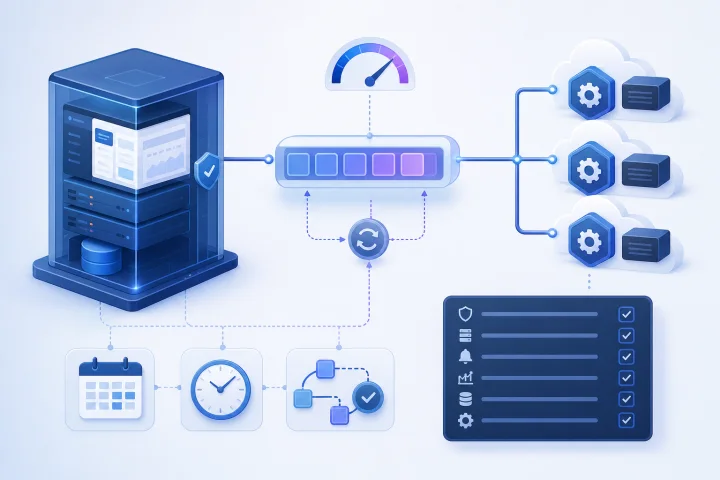
Why API rate limits belong in application readiness planning
A self-hosted application can be fully reachable and healthy while a critical workflow remains unable to complete because an external API is throttling it. That makes a provider’s quota, concurrency rules, endpoint restrictions and retry instructions part of production readiness—not a detail to discover after users begin relying on the integration.
HTTP 429 means that a client has sent too many requests in a given time. The HTTP standard permits, but does not require, a Retry-After response field. It also does not define how the provider identifies the party being limited or how requests are counted. A limit might apply to a credential, account, workspace, IP address, endpoint or another provider-defined scope.
Treat each important outbound dependency as a finite shared resource. The practical question is not simply “Does this application support the API?” It is “Can this deployment remain useful when normal use, peak demand, background processing and recovery work all draw from the provider’s limits at the same time?”
- Include external APIs in launch risk reviews alongside DNS, backups, access control and application configuration.
- Assess the business consequence of delayed, partial or failed external work.
- Set expectations for users before launch when an action may be queued or delayed by a provider limit.

Start with official evidence, not a single quota number
Create one evidence record for every critical provider. Prefer the provider’s official API documentation and retain the documentation URL, access date, authentication method and plan or account context that applies to your deployment. Do not rely on a general web summary, a historical forum answer or a quota observed in another team’s account.
Look for more than a headline request allowance. GitHub’s documentation, for example, distinguishes primary limits, endpoint-specific limits, a separate GraphQL limit and secondary limits that can include concurrency and endpoint activity. This is a useful model: one integration can be constrained by several overlapping rules.
Record the provider’s response behavior. Where available, identify rate-limit headers, reset times and Retry-After behavior. GitHub and Docker Hub both document response signals that expose limit state, remaining capacity or reset information. Those signals are more useful operationally than guessing from a generic requests-per-minute estimate.
- Official documentation URL and the date it was checked.
- Limit classes: overall budget, endpoint-specific limits, concurrency, cost-based rules, pull limits or abuse controls.
- Limiting identity and scope: account, token, user, workspace, IP address, endpoint or another key.
- Authentication requirements and whether authentication changes attribution or budget.
- Response headers, reset semantics, Retry-After instructions and escalation or support path.
- Any approved testing environment, sandbox or staging endpoint.

Map every outbound API dependency and call path
Inventory dependencies by workflow, not merely by vendor. One provider can be used by a user-facing search, a scheduled synchronization, a webhook recovery process and a deployment pipeline. These paths may use different credentials, endpoints, request volumes and urgency levels.
Map interactive activity first: actions initiated in the application interface, such as a user saving a record, fetching data or submitting a request to an AI or data service. Then map background work: scheduled synchronization, batch processing, recurring reports, indexing, imports, export delivery, notifications and maintenance tasks.
Do not omit inbound-triggered work. A webhook is inbound to your application, but handling it often causes outbound calls to retrieve details or update another system. Image downloads and container registry pulls can also be external dependencies during deployment, automated updates or scaling. Docker documents API, image-pull and anti-abuse controls separately, so they should not be treated as one interchangeable limit.
- Interactive user actions and their downstream calls.
- Scheduled jobs, their schedules and expected overlap.
- Webhook-triggered processing and redelivery handling.
- Polling loops and status checks.
- Pagination, imports, exports, indexing and backfills.
- AI, data enrichment, notification and file-service calls.
- Container image pulls and other deployment-time external requests.
Identify the unit that is actually limited
A numeric allowance is not actionable until you know who shares it. An unauthenticated request can be limited by originating IP address, while authenticated requests may be budgeted against credentials or another account identity. GitHub documents both patterns and notes that different authentication methods can affect the same remaining budget.
Shared credentials are especially important in self-hosted environments. Production, staging, a local troubleshooting session, multiple application instances and separate teams can unintentionally consume the same provider budget. Conversely, a provider may group activity by IP address, making otherwise separate applications contend with each other.
For each workflow, write down the limiting unit as documented by the provider, then list every actor that can consume it. If the answer is uncertain, treat it as an unresolved launch item rather than assuming each user receives an independent allocation.
- Which credential, account, workspace or IP identity is charged?
- Do REST, GraphQL or other API surfaces have separate budgets?
- Do different endpoints have tighter limits or distinct cost models?
- Which environments and instances share the same budget?
- Can provider-side IP-based aggregation create shared contention?
- Who owns the credential and can rotate or replace it?
Estimate normal, peak and recovery traffic without false precision
Build a simple range estimate for each workflow. Use observable inputs: likely active users, actions per user, calls per action, scheduled runs, pages per result set, workers and expected retry behavior. The purpose is to expose demand drivers and headroom requirements, not to claim a precise future request count.
Separate normal operation from peak operation. Peaks often come from a campaign, an opening-of-business rush, a large import, a batch schedule aligned to the hour, or many workers starting together. Include worst plausible overlap: an interactive peak occurring while scheduled jobs and webhook processing are active.
Then estimate recovery demand. After an outage or maintenance window, queues may drain, webhooks may be redelivered and synchronizations may catch up. Recovery is frequently more bursty than ordinary use. A deployment that fits the steady-state budget may still fail when it tries to recover missed work.
- Normal range: usual users, schedules and data volumes.
- Peak range: expected bursts and overlapping workloads.
- Recovery range: backlog, redelivery, catch-up syncs and reprocessing.
- Requests per business event, including downstream lookup calls.
- Concurrency: number of workers or requests active at one time.
- Headroom decision: reduce demand, spread schedules, request a higher approved limit or accept a queueing delay.
Count multipliers: retries, pagination, polling, imports and concurrent workers
The apparent unit of work is rarely the request unit. A request that returns a large collection can require a sequence of page requests. GitHub’s REST API documentation describes paginated results and next-page links; any paginated dependency should be estimated by pages retrieved, not by one user-visible search or synchronization.
Retries multiply traffic precisely when a provider is already under pressure. A retry policy must honor the provider’s stated reset time or Retry-After value. For persistent failures, use bounded retries with increasing waits and an explicit terminal failure path. An unbounded retry loop turns a temporary limit into a growing queue, wasted capacity and unclear user outcomes.
Polling deserves the same scrutiny. Ask whether an event or webhook can replace frequent status checks, whether the interval can be increased, and whether many workers are checking the same state independently. When supported, conditional requests can avoid unnecessary consumption: GitHub documents that authorized conditional requests returning 304 Not Modified do not count against its primary rate limit.
Concurrent workers can create sudden pressure even when total daily volume is modest. Apply limits to the rate of new outbound calls as well as worker counts. Stagger schedules and use queues where the application or integration architecture supports them.
- Multiply list operations by expected pages, including final-page checks where applicable.
- Use provider-directed waiting, then exponential backoff where appropriate.
- Cap retries and surface a final failure state for review or later recovery.
- Avoid polling that duplicates work already available through events or webhooks.
- Use conditional requests where the provider and endpoint support them.
- Limit worker concurrency and stagger batch starts.
Define acceptable behavior when the limit is reached
A rate-limit policy should describe the user and system experience, not only the HTTP response. For each workflow, decide whether the right action is to wait, queue work, reduce the requested scope, notify the user, fail safely, or follow a provider-approved fallback route. The correct choice depends on whether the action is urgent, repeatable, idempotent and business-critical.
For interactive requests, a clear delayed-completion message may be better than repeated immediate attempts. For batch work, a durable queue and controlled resume behavior may be appropriate. For a nonessential enrichment step, it may be acceptable to save the primary record and mark enrichment as pending. Do not substitute a different provider or data source unless that fallback is approved for the workflow’s data, cost, security and quality requirements.
Avoid assuming a reverse proxy retry feature will solve upstream API throttling. Traefik documents that its Retry middleware addresses failure to contact a backend at the TCP transport layer and stops once a backend responds, regardless of HTTP status. A 429 response from an upstream API needs application- or integration-level handling designed for that provider’s instructions. Similarly, an inbound rate limiter controls traffic headed to your service; it does not reveal or increase an external provider’s quota.
- State the chosen behavior for each workflow when capacity is exhausted.
- Preserve a durable record of work that is queued, incomplete or needs review.
- Make retryable operations idempotent or protect them against duplicate side effects.
- Use fallbacks only when they are explicitly approved and tested.
- Present useful status to users and operators rather than masking repeated failures.
Frequently asked questions
What does HTTP 429 mean for a self-hosted application?
It means the API client sent too many requests in a given time. The provider may include Retry-After, but the provider determines how it counts requests and identifies the limited party. Check the provider’s documentation rather than assuming the limit is per user or per server.
Should rate-limit testing be performed against a production API?
Use an official sandbox or staging environment when the provider offers one. Let’s Encrypt, for example, directs developers testing ACME clients to its staging environment. If no test environment exists, use controlled tests that avoid disrupting production workloads and follow the provider’s rules.
Are API rate limits only a concern for high-traffic applications?
No. Small deployments can reach limits through pagination, frequent polling, scheduled jobs starting at the same time, retries, imports, backlog recovery or shared credentials across environments. Concurrency and burst rules can matter even when daily traffic is low.
Can a reverse proxy fix third-party API throttling?
Not by itself. An inbound rate limiter can protect your own service, but it does not change an external provider’s quota. Proxy retries may also apply only to connection failures rather than HTTP 429 responses. Handle provider-directed waiting and bounded retries in the relevant application or integration layer.
What should be monitored before a rate limit causes a visible outage?
Monitor 429 responses, provider rate-limit headers where available, remaining capacity and reset time, queue depth, retry volume, worker concurrency, latency and incomplete or delayed work. Alerting should identify the affected provider, credential or workflow and its owner.
Sources and further reading
- HTTP 429 Too Many Requests — RFC Editor / IETF
- Rate limits for the REST API — GitHub Docs
- Best practices for using the REST API — GitHub Docs
- Using pagination in the REST API — GitHub Docs
- Best practices for using webhooks — GitHub Docs
- Docker Hub API — Docker
- Docker Hub pull usage and limits — Docker
- Traefik RateLimit middleware — Traefik Labs
- Traefik Retry middleware — Traefik Labs
- Let’s Encrypt rate limits — Internet Security Research Group / Let’s Encrypt