Should an Automation Tool Store Your Business Data? A System-of-Record Decision Framework
Automation tools are excellent at moving information and coordinating work, but convenience can turn workflow state into an accidental database. Use this framework to decide which system owns each business record, how derived copies are reconciled, and how workflows recover safely when they fail.
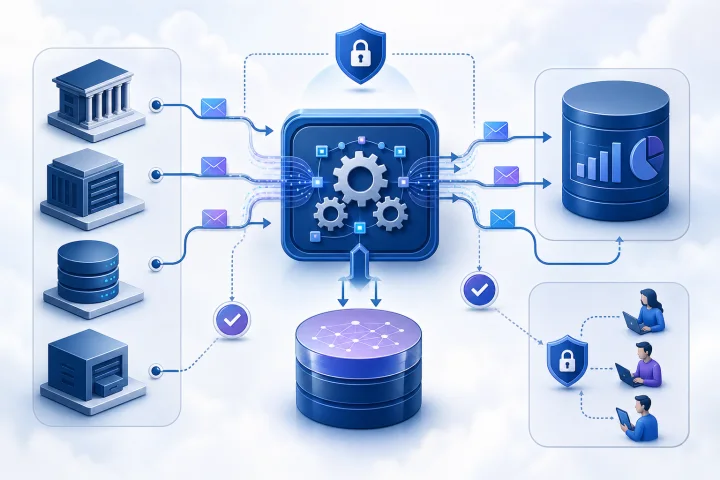
Convenience is not the same as authority
An automation platform can easily become the place where a team first captures a customer detail, approval decision, stock value, or delivery status. A workflow already has the incoming data, can transform it, and may retain execution information. That convenience does not automatically make it the right authoritative home for the record.
A system of record is the agreed authoritative owner of a defined business fact. For master data, this is the source used to resolve what the organisation considers the valid version of a record. [Microsoft describes master data management as creating a source of truth and authoritative “golden records.”](https://learn.microsoft.com/en-us/purview/data-governance-master-data-management) It needs a named owner, clear rules for changes, and a dependable way for other systems to identify and use that record.
An automation layer has a different primary job: receive triggers, apply routing and rules, coordinate actions, and handle the movement of data between systems. It may need to retain state to finish a workflow, but its stored data should not silently become the definitive answer to a business question.
A reporting copy is different again. It is a derived representation designed for queries, dashboards, or analysis. If the reporting and write models are separate, the read copy can lag behind the write model. [Microsoft’s CQRS guidance notes that separate read and write stores must be synchronized and that updates to the read store can lag behind event generation.](https://learn.microsoft.com/en-us/azure/architecture/patterns/cqrs) Treat it as a synchronized copy with a stated freshness expectation, not as proof that it is current at every instant.
- Ask a precise question: “If two systems disagree, which one settles the dispute?” The answer identifies the authority.
- Assign authority by data domain, not by application. One system may own customers while another owns invoices or project delivery status.
- Do not confuse “the workflow saw the value first” with “the workflow owns the value.”

What an automation tool should usually store
Automation needs enough information to process work reliably. This commonly includes trigger payloads, routing context, correlation identifiers, timestamps, a temporary approval or waiting state, error details, and execution history. Such data is operationally useful because it explains what the workflow attempted and supports safe retry or recovery.
The important boundary is purpose and duration. Keep the smallest practical set of fields for the workflow’s stated job, and retain it no longer than that job, support needs, and applicable obligations require. [NIST defines data minimization as limiting the collection, processing, storage, maintenance, and disclosure of personally identifiable information to what is directly relevant and necessary for a lawful purpose, and retaining it only as long as necessary.](https://csrc.nist.gov/glossary/term/minimization) Data minimization is especially important when payloads include personal or confidential information.
A useful pattern is to store stable identifiers rather than a full business profile. For example, retain a customer ID, order ID, source-system version or update timestamp, and an idempotency key. Retrieve the current authoritative details from the owning system when the workflow needs them. This reduces duplicate sensitive data and makes ownership more visible.
Execution history can be valuable evidence, but it is not automatically a complete business audit trail. Decide what events must be recorded in the authoritative business system, what execution evidence belongs in the automation platform, and who may access or manage each log.
- Usually appropriate: trigger metadata, record IDs, correlation IDs, routing decisions, short-lived work queues, retry state, and error context.
- Use care: full request bodies, uploaded documents, credentials, financial fields, employee data, and customer profiles.
- Avoid making workflow tables the only home for business approvals, balances, contracts, inventory quantities, or customer status unless the platform is intentionally governed as the system of record.

Use a system-of-record decision matrix before a workflow becomes critical
Evaluate each record type separately. A contact record, an approval task, and a workflow retry are not the same kind of data and should not inherit the same ownership decision. The following questions expose whether the automation layer is a suitable temporary store, a controlled derived copy, or an unsuitable authoritative owner.
A “yes” to several high-control questions is a signal to select a dedicated system of record, or to treat the data platform as a deliberately designed business system with documented governance. A “no” across those questions may support short-lived automation state, provided retention and recovery are still defined.
- Retention: Must this record remain available for a defined business, contractual, or legal period? If yes, identify the owner, retention rule, and deletion process.
- Concurrent editing: Can people or multiple workflows change the same fact at the same time? If yes, require defined transaction, locking, or conflict-resolution behavior.
- Auditability: Must you prove who changed a value, when, and why? If yes, define the authoritative event trail and restrict access to audit information.
- Relationships: Does the record link to many customers, orders, contracts, products, or employees? If yes, assess whether the intended owner can enforce and maintain those relationships.
- Reporting: Will leadership, finance, operations, or customers rely on it for decisions? If yes, document the reporting source, freshness expectation, and reconciliation method.
- Recovery: What happens if a write fails halfway through a multi-system flow? If the answer is unclear, the workflow is not ready to own a critical process.
- Export and portability: Can the organisation export usable records and associated history when required? Test the process rather than assuming it exists.
- Access: Are roles, permissions, and administrative access appropriate for the sensitivity and business importance of the data?
Design for retries, partial writes, and reconciliation
A multi-system workflow can fail after completing one action but before completing the next. For example, it may create a record in one system, time out before updating another, and then retry. Without deliberate design, the retry can create duplicates or apply a side effect twice.
Make side-effecting operations idempotent wherever possible. Use a durable idempotency key or a source event identifier so the receiving system can recognize that the intended operation has already been applied. [AWS documents that replay and retry can run an operation multiple times, and that repeated side effects make at-least-once retry behaviour safe only for idempotent operations.](https://docs.aws.amazon.com/durable-execution/patterns/best-practices/idempotency/) Do not assume a workflow step will run exactly once across the life of a workflow; [AWS notes that retry strategies can run a step again even where an individual attempt has at-most-once behaviour.](https://docs.aws.amazon.com/durable-execution/patterns/best-practices/idempotency/)
Where a process spans systems, record enough information to identify completed steps, pending steps, and the appropriate corrective action. A compensating action may reverse a completed step when a later one fails. However, not every business action can or should be automatically reversed. [Microsoft’s compensating transaction guidance recommends recording each step and its undo action, and notes that some failures require human intervention.](https://learn.microsoft.com/th-th/azure/architecture/patterns/compensating-transaction?view=netcore-2.2)
Use reconciliation as a normal control, not as an emergency-only activity. Compare authoritative records with their derived copies or downstream effects using stable identifiers, versions, timestamps, expected counts, or business totals. Route discrepancies to a defined queue with an owner and a documented repair path.
- Before writing: validate required data, confirm record identity, and create or carry an idempotency key.
- During processing: record the workflow correlation ID, target record ID, requested action, outcome, and error category.
- After a failure: distinguish safe retry, compensating action, and manual review. Do not retry blindly when the external effect is unknown.
- On a schedule: reconcile critical records and investigate missing, duplicate, or stale updates.
- Test failure scenarios deliberately: timeout after write, duplicate delivery, unavailable downstream system, malformed input, and conflicting concurrent update.
Set access, retention, and backup expectations for workflow data
Treat workflow data and execution logs as operational records with their own governance. Classify what flows through the platform, including personal data, confidential documents, business identifiers, and error payloads. Then define who can view executions, edit workflows, manage credentials, change retention, restore data, and administer the hosting environment.
Audit information has value only when it is protected. [NIST calls for audit information and logging tools to be protected from unauthorized access, modification, and deletion, and for audit-management functions to be limited to an authorized subset of privileged roles.](https://nvlpubs.nist.gov/nistpubs/SpecialPublications/NIST.SP.800-53r5.pdf) Separate ordinary workflow operation from high-privilege administrative actions where practical.
Retention should be intentional. A workflow that retains full payloads indefinitely may accumulate sensitive data that is no longer needed to execute, support, or investigate the process. Define normal retention, exception retention for incidents, and a deletion or anonymization approach consistent with the data’s purpose.
Backups are necessary but are not, by themselves, a recovery plan. Start with a business impact analysis: which workflows and records are critical, how much data loss is tolerable, how long restoration may take, and what must be verified after restoration. [NIST states that business-impact-analysis results can determine backup type and frequency, redundancy requirements, and alternate-site needs to meet recovery objectives.](https://nvlpubs.nist.gov/nistpubs/legacy/sp/nistspecialpublication800-34r1.pdf) Those recovery objectives should drive backup frequency, redundancy decisions, and restore testing.
- Document role-based access for workflow editors, operators, auditors, and infrastructure administrators.
- Avoid placing secrets or unnecessary sensitive values in workflow variables, logs, tickets, or notifications.
- Set execution-data retention by workflow class, with stricter review for workflows handling sensitive or high-volume data.
- Maintain a restore runbook that identifies dependencies, validation checks, and the decision-maker for recovery.
- Test restoration and post-restore reconciliation; a backup that has never been restored is an unverified assumption.
Choose the deployment model that matches the responsibility
Managed application hosting can be a practical fit when a team wants to run a self-hosted automation platform while reducing the infrastructure work around deployment. Airbip offers managed deployment from a public catalog of applications, with instances running as Docker workloads on Airbip cloud servers. It automates routing and TLS certificates through Traefik and Let’s Encrypt, includes DNS checks and service lifecycle management, and offers configurable daily, weekly, and monthly backups. Customers can use an Airbip subdomain or a compatible custom domain.
Those infrastructure capabilities do not decide your data ownership model. Your team still needs to choose the authoritative system for each business fact, configure access appropriately, define retention, validate integrations, and test recovery and reconciliation. Managed hosting can make the operational foundation more practical; it does not remove governance responsibility.
For a team running n8n, a sound starting point is often to keep n8n focused on orchestration and only the workflow state the design requires, with retention and persistence configured for the implementation. A CRM, ERP, database, or other designated system can own core business records, while a separate reporting application can serve derived reporting needs. Where a self-hosted business application is the appropriate owner, assess the available catalog and the application’s suitability before implementation.
Choose a dedicated business system or a SaaS product instead when its domain controls, compliance posture, support model, integrations, or operating model better match the records at stake. The right decision is not to self-host every system; it is to make record ownership, recovery, and accountability explicit.
- Consider managed hosting when self-hosting is suitable but infrastructure setup, routing, TLS, DNS checks, lifecycle management, and backups would otherwise distract the team.
- Consider a dedicated business system when the domain needs robust record relationships, governed change processes, transactional behavior, or specialised operational workflows.
- Consider SaaS when its service model and controls better suit your requirements than operating a self-hosted application.
- Before selecting an application, plan, or relying on commercial terms, consult the live Airbip website for current details.
Frequently asked questions
Can an automation tool be a system of record?
It can be, but only if the organisation intentionally designs and governs it as the authoritative owner for a defined data domain. That requires clear ownership, controlled writes, retention, access controls, audit expectations, exportability, backup and restore procedures, and reconciliation with related systems. Convenience alone is not a sufficient reason.
What is the difference between workflow state and a business record?
Workflow state exists to move a process forward: a trigger payload, routing decision, retry counter, correlation ID, waiting approval, or execution result. A business record represents an enduring fact the organisation relies on, such as a customer profile, invoice, contract, inventory quantity, or employee decision. The latter normally needs a named authoritative owner.
Why is a reporting dashboard not necessarily the source of truth?
A dashboard commonly reads from a derived copy. When read and write models are separated, synchronization can lag, so the dashboard may be temporarily stale. Document its freshness expectation and use the authoritative write system to resolve disagreements.
How should a workflow handle a partial write across two systems?
Record each step and its outcome, use idempotency keys for side-effecting operations, and classify the recovery path: safe retry, compensating action, or manual review. Add reconciliation checks so incomplete, duplicate, or stale downstream effects are detected and repaired.
Do backups solve workflow-data recovery?
No. Backups are one part of recovery. You also need recovery objectives based on business impact, a tested restoration procedure, dependency checks, access to necessary credentials and systems, and post-restore validation and reconciliation.
Does managed hosting remove responsibility for data governance?
No. Managed hosting can handle important infrastructure tasks, but the customer still needs to decide what data enters workflows, which system is authoritative, who has access, how long data is retained, and how business-critical processes are reconciled and recovered.
Sources and further reading
- Master Data Management in Microsoft Purview — Microsoft Learn
- Event-Driven Architecture Style — Microsoft Learn
- CQRS Pattern — Microsoft Learn
- Compensating Transaction Pattern — Microsoft Learn
- Idempotency and retries — AWS Documentation
- Security and Privacy Controls for Information Systems and Organizations, SP 800-53 Rev. 5 — National Institute of Standards and Technology
- Minimization glossary entry — National Institute of Standards and Technology
- Contingency Planning Guide for Federal Information Systems, SP 800-34 Rev. 1 — National Institute of Standards and Technology
- Transactions — PostgreSQL Global Development Group
- Data Consistency Checks at the Application Level — PostgreSQL Global Development Group