How to Build a Sensible Update Policy for Self-Hosted Applications
Build a proportionate update policy for Docker-based business applications: classify risk, validate real workflows, assign approval rights, prepare recovery, and make deferred-update risk visible.
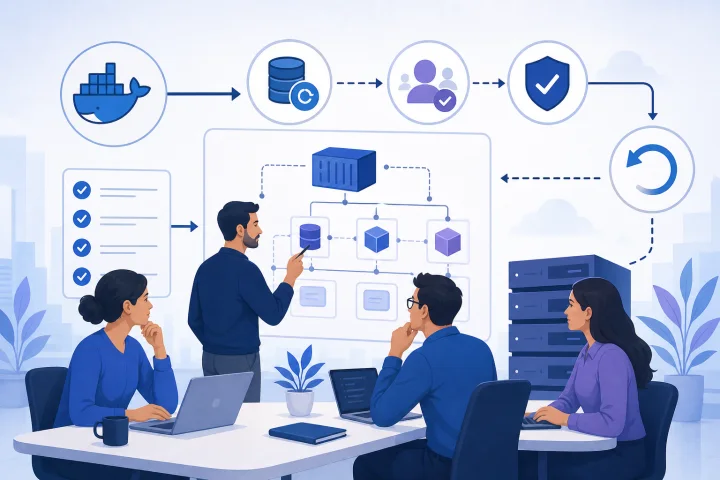
Why “update immediately” and “never update” are both weak operating models
An update is not inherently safe because it is new, and it is not inherently dangerous because it changes a working system. Treating every update as an emergency can disrupt business operations. Deferring every update can leave known defects, compatibility problems and security exposure accumulating without an explicit decision.
A better self-hosted application update policy makes updates routine, visible and proportionate. NIST describes patch management as a lifecycle process of identifying, prioritizing, acquiring, installing and verifying patches, updates and upgrades. That framing is useful for a small team too: the job is not merely to press an upgrade button, but to make a defensible decision and verify the outcome.
The goal is not heavyweight bureaucracy. It is a repeatable minimum standard: know what is changing, understand who and what may be affected, decide who can approve it, confirm that recovery is feasible, and record what happened.
- Update immediately is weak when the change has meaningful data, workflow or integration consequences that have not been checked.
- Never update is weak when deferred work is not reviewed against security relevance, business criticality or mounting compatibility risk.
- A sensible policy varies the depth of review and testing according to impact, rather than using one rule for every application and change.

What an update policy should cover
Your policy should apply to more than application releases. Configuration control covers modifications to software, firmware, hardware and documentation. For a self-hosted service, this can include application images, databases, Docker or Compose configuration, secrets, network settings, storage, backup settings, domains, proxy configuration and operating environment changes.
Keep the policy short enough to use. The useful outputs of each change should be a change record, a risk class, named decision-makers, a validation plan, a recovery decision, and evidence that the change succeeded or that an exception was accepted.
NIST guidance recommends that leadership, business or mission owners, and security and technology teams participate in forming patch-management strategy. In a small company, one person may hold several roles, but the responsibilities should still be explicit. Separating roles prevents a technically easy change from bypassing the person accountable for its business consequences.
- Scope: which applications, supporting services, infrastructure and documentation are covered.
- Ownership: a named platform operator and application owner for every production application.
- Risk classes: rules that determine review, testing, approval and timing.
- Approval: who can authorize normal, high-impact and urgent changes.
- Evidence: release notes reviewed, backup or recovery status, test results, implementation time and outcome.
- Exceptions: who accepts a deferral, compensating controls, review date and closure criteria.

Separate infrastructure changes from application changes and business-workflow validation
A running container is not proof that the business application still works. Docker documents that a Compose service update replaces the old container, changes its IP address and closes open connections. Dependent services need to reconnect using the service name. This makes dependency behavior part of validation, not an implementation detail to assume away.
Assess application changes separately from infrastructure lifecycle work. An application update may alter permissions, schema, integrations, user-facing workflows or data handling. Infrastructure work may alter ingress behavior, certificates, networks, storage, restart behavior or resource configuration. Either can affect availability, but their tests and owners differ.
For example, an application owner should validate a representative workflow such as creating and approving a record, publishing content, completing a customer interaction or running a key report. The platform operator should validate reachability, service health, logs, backup state and recovery prerequisites. If a proxy or ingress component changes, include routing and certificate behavior in the infrastructure check. Traefik migration guidance specifically highlights that major upgrades can involve breaking changes, deprecations and required configuration updates.
- Application validation: sign-in, role and permission behavior, representative workflows, data creation or retrieval, reports, automations and external integrations.
- Infrastructure validation: service availability, routing, TLS behavior, network connectivity, persistent storage, restart behavior, monitoring and backups.
- Joint validation: user-visible availability, background jobs, notifications, dependency reconnection and data consistency.
Classify changes by operational impact
Use a small number of risk classes. The class should be driven by consequences, not by whether a version number looks large or small. A minor-looking release can include a migration; a major upgrade can be low impact in a non-critical, isolated environment.
Consider four core questions. Is the change reversible? Can it alter, migrate or delete persistent data? Does it affect integrations, identity or permissions? Is it security-relevant, especially where exploitation is known? Also consider the business function supported: CISA guidance recommends prioritizing vulnerabilities in relation to continuity, sensitive information, reputation and financial position.
A workable model is low, standard, high and emergency. Define the required controls for each class in advance so decisions remain consistent when time is limited.
- Low: easily reversible change with no expected data migration, no material integration impact and low business criticality. Use a documented smoke test and operator approval.
- Standard: routine application or configuration update with limited, understood effects. Review release notes, take or confirm a usable backup, run representative tests and obtain application-owner approval.
- High: possible data migration, permission or identity impact, significant integration change, material downtime risk, business-critical workflow impact, or a major infrastructure component change. Require a maintenance window, recovery plan, business acceptance and stronger testing.
- Emergency: a time-sensitive security or service-restoration change. Use an expedited path with recorded rationale, minimum viable checks, named authority and a post-change review.
Build a pre-change checklist
A pre-change checklist turns a policy into action. NIST configuration-management guidance calls for security impact analysis before a change is approved and deployed. For a small team, that does not require a formal board; it requires answering the relevant questions before production changes occur.
Start with primary documentation. Read the application’s release notes and migration guidance for the version you intend to deploy. Identify required configuration changes, supported dependency versions, database migrations, deprecated settings and any manual post-upgrade tasks. Do not assume that an image update is self-contained.
Then establish success criteria that a non-technical stakeholder could understand. “Container is running” is an operational signal, not a sufficient success criterion. Define what users must be able to do, which integration must complete, and what data result confirms the change.
- Identify the exact application, current state, intended change and reason for it.
- Review vendor release notes, migration instructions and compatibility requirements.
- Identify changes to database schema, persistent volumes, configuration, secrets, permissions, domains, proxy settings or dependencies.
- Check current backup coverage and whether restoration has been tested or is otherwise demonstrably usable for this application’s data.
- Choose a maintenance window and notify affected users when disruption is possible.
- Define a start point, decision point, expected duration, stop conditions and named implementer.
- Write measurable success criteria, including a user-facing workflow and relevant integration checks.
- Choose rollback, forward-fix or restore as the likely recovery path before beginning.
Choose testing that fits the application’s risk
Testing should answer the risks you identified. A basic smoke test is suitable for a low-impact change: confirm the service is reachable, authenticate with an appropriate test account, complete one core action, and check that a dependent service responds. Docker notes that dependencies may start in order without being ready to serve requests, so test readiness and real requests rather than only process startup.
For a standard or high-impact application, use representative workflows. Select the transactions that would cause the most harm if broken: a sales or support flow, publishing path, approval step, scheduled task, data import, report, payment-adjacent handoff or customer-facing form. Include the permissions used by real roles, not only an administrator account.
A staging environment is justified when the cost of a production failure is meaningfully higher than the cost of maintaining the test environment, or when migrations, integrations or business-critical workflows make production-only validation unacceptable. It should be representative enough to reveal the relevant issue. A staging system that lacks the necessary configuration, data shape or integrations cannot establish much confidence.
- Low-risk smoke test: availability, login, one primary action, one dependency or integration check, and log review.
- Representative workflow test: complete a realistic end-to-end task with the right user role and expected data outcome.
- Migration test: validate schema or data behavior against a safe representative copy where practical, and rehearse recovery if the migration is consequential.
- Infrastructure test: verify routing, TLS, dependency connectivity, persistence and restart behavior.
- Post-change observation: monitor the agreed signals long enough to detect immediate errors, failed jobs or integration failures.
Plan rollback realistically: rollback, forward fix or restore
“We can roll back” is not a recovery plan unless you can say what will happen to state. Redeploying an earlier container image may be appropriate when no irreversible data or schema change has occurred. It may be unsafe or ineffective after a database migration, a changed data format or a configuration change that the previous version cannot read.
Decide which recovery route fits the change. A rollback returns application code or configuration to a prior known state. A forward fix applies a corrective update when reversing would create greater inconsistency. A restore recovers data and configuration from backup when state must be returned to a prior point. Docker’s volume guidance distinguishes backing up and restoring persistent data, reinforcing that redeployment alone is not a complete answer for stateful services.
Recovery readiness needs evidence. Record where the data resides, what is backed up, the restore owner, restoration steps, dependencies that must be restored together and the acceptable data-loss boundary for the application. Test restoration at a frequency justified by the application’s importance and change rate; an untested backup should not be treated as a proven recovery capability.
- Use rollback when the prior application and configuration can safely operate with the resulting data state.
- Prefer a forward fix when a completed migration or data transformation cannot safely be reversed.
- Use restoration when recovering persistent state is required; include databases, volumes, configuration and required secrets or integrations in the plan.
- Set a stop condition: if the defined workflow fails and the issue cannot be resolved within the agreed window, execute the selected recovery route.
- Record the actual outcome, including any data reconciliation required after recovery.
Assign decision rights with a simple RACI-style matrix
A lightweight RACI-style matrix makes approval visible. The role names can change, but the underlying duties should not disappear. The platform operator manages the technical execution and infrastructure checks. The application owner understands functional configuration and user workflows. The security owner assesses security significance and compensating controls. The business approver accepts disruption or workflow risk for material changes.
NIST SP 800-40r4 identifies responsibilities across business or mission owners, leadership, security managers, engineers and administrators. NIST SP 800-128 also places impact analysis before approval and deployment. Use those principles in a form that fits your organization rather than adding layers for their own sake.
One person can be responsible, accountable and consulted in a very small team, but record that explicitly. Where possible, avoid having the implementer silently approve a high-impact change that affects another team’s critical process.
- Platform operator — Responsible: prepare the change, confirm infrastructure prerequisites, implement, collect technical evidence and execute the agreed recovery action.
- Application owner — Accountable for functional fit: review application implications, define representative workflow tests and accept application-level results.
- Security owner — Consulted or accountable according to policy: assess vulnerability relevance, exposure, access implications and mitigations.
- Business approver — Accountable for high-impact business disruption: approve downtime, timing and acceptance criteria for critical workflows.
- Change record owner — Responsible: retain the decision, approvals, test evidence, exceptions and follow-up actions.
Frequently asked questions
Who should approve a self-hosted application update?
For a routine low-risk change, the platform operator and application owner may be enough if your policy permits it. High-impact changes should also involve the person accountable for the affected business workflow. Security-relevant changes should have security review or an explicitly delegated security decision. The key is to name the authority before an incident or outage creates pressure.
Do we need a staging environment for every self-hosted application?
No. Use staging where the consequences justify it: business-critical workflows, consequential migrations, complex integrations, identity or permission changes, or changes that are difficult to recover from. For lower-risk applications, a defined production maintenance window, backups and representative smoke tests can be proportionate.
Is redeploying the previous Docker image always a rollback?
No. It may not safely reverse database migrations, persistent-data changes or incompatible configuration. A recovery plan must distinguish code rollback from restoration of stateful data and from a forward corrective fix.
How often should deferred updates be reviewed?
Set a review date when the exception is created, then reassess it when new security information, compatibility requirements or business changes occur. Do not leave deferrals open-ended. Known exploitation status and the criticality of the affected application should accelerate review.
Sources and further reading
- Guide to Enterprise Patch Management Planning: Preventive Maintenance for Technology (SP 800-40r4) — National Institute of Standards and Technology
- Guide for Security-Focused Configuration Management of Information Systems (SP 800-128) — National Institute of Standards and Technology
- Known Exploited Vulnerabilities Catalog — Cybersecurity and Infrastructure Security Agency
- Cybersecurity Incident and Vulnerability Response Playbooks — Cybersecurity and Infrastructure Security Agency
- Use Compose in production — Docker
- Networking in Compose — Docker
- Control startup and shutdown order in Compose — Docker
- Volumes — Docker
- Migration: Steps needed between the versions — Traefik Labs
- Migration Guide: From v2 to v3 — Traefik Labs