A Practical Secrets Management Plan for Self-Hosted Applications
A vendor-neutral operational plan for keeping database passwords, API tokens, SMTP credentials and encryption keys out of the places where they are most often exposed. Learn how to inventory secrets, assign ownership, limit access, rotate credentials and protect backups for Docker-based self-hosted applications.
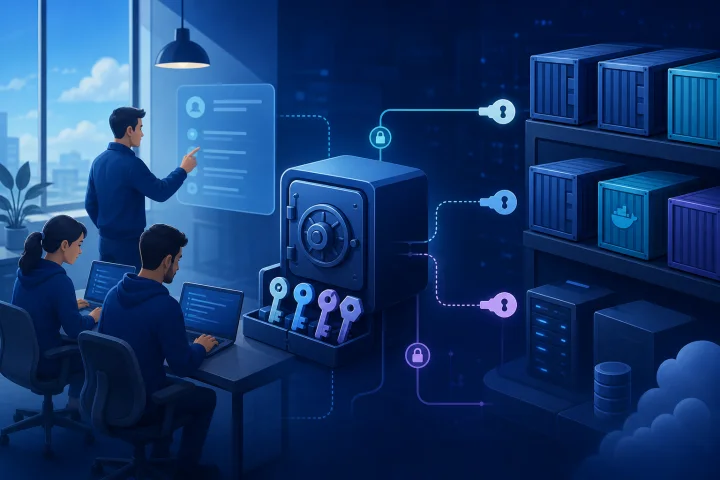
Why secrets management is an operational requirement, not only a security requirement
A self-hosted application rarely runs with one credential. It may need a database account, an SMTP password, third-party API tokens, webhooks, signing material and one or more encryption keys. If those values are unmanaged, routine work becomes risky: a deployment is harder to reproduce, a staff departure leaves unclear access, and a suspected exposure can turn into an urgent outage.
A useful secrets-management process makes authorized work predictable. The team knows what each secret does, who owns it, where it is supplied, which application depends on it, and how it can be replaced. This is consistent with NIST CSF 2.0’s emphasis on establishing, communicating and enforcing cybersecurity roles, responsibilities and authorities.
Managed infrastructure can reduce the operational load around an application, but it does not settle credential governance. For example, Airbip deploys catalog applications as Docker workloads on its cloud servers and automates routing and TLS certificates through Traefik and Let’s Encrypt. Customers must still decide who can create, approve, view and rotate the application credentials that connect those workloads to databases and outside services.
- Treat every production secret as an operational dependency with an owner.
- Design replacement procedures before a secret is urgently suspected or known to be exposed.
- Keep infrastructure administration responsibilities separate from business approval of sensitive third-party accounts where practical.

What counts as a secret
A secret is information whose disclosure could enable unauthorized access, impersonation, decryption or privileged action. A secret key, for example, is a cryptographic key that is not public; its confidentiality is fundamental to its purpose.
Do not limit the register to values literally named PASSWORD. A connection string can contain a username and password. A configuration export can contain an integration token. A private key, cookie-signing value, OAuth client secret or recovery code may be more consequential than a conventional password.
By contrast, ordinary configuration usually does not grant access if disclosed. Examples can include an application’s public URL, a non-sensitive feature setting, a locale or a log-level choice. Classification should be based on what disclosure enables, rather than on the name of an environment variable.
- Database usernames and passwords, including credentials embedded in connection strings.
- API tokens, webhook secrets and OAuth client secrets used by integrations.
- SMTP usernames and passwords used to send application email.
- Session-signing values, private keys and other signing keys.
- Encryption keys, key-encryption material and recovery codes.
- Administrator passwords and access tokens for application, server or third-party service accounts.

Separate secrets from non-sensitive configuration before deployment
Before deployment, create two lists: configuration that can be retained in ordinary deployment documentation, and values that need restricted handling. This small step prevents a common failure mode in which a convenient .env file becomes the informal source of truth for everything, including production credentials.
For Docker-based deployments, use a separate secret-delivery method where the application supports it. Docker advises using secrets instead of environment variables for sensitive values in Compose deployments. Compose secrets are declared at the top level and then explicitly granted to individual services; a service cannot access a declared secret unless its own definition includes that grant.
Docker secrets are mounted as files rather than directly set as environment variables, normally under /run/secrets. This approach can narrow which service receives a value. It does not eliminate the need to secure the host, deployment configuration or people with administrative access, and the application must be able to read the secret in the form provided.
Avoid putting build credentials in Docker build arguments or environment variables. Docker states that these can persist in the final image. Use build secret mounts or SSH mounts for credentials needed only during a build. Also exclude .env files from the build context with .dockerignore when they could contain secrets; otherwise they can be included in an image layer.
- Classify each deployment value before adding it to a Compose file, CI job or administration panel.
- Grant a Docker Compose secret only to the service that needs it.
- Check the application’s configuration documentation to determine whether it accepts a secret from a file, environment variable or another mechanism.
- Review Dockerfiles, build contexts and image history when build-time credentials have ever been used.
Map every place a secret can be exposed
A secret is only as protected as every copy of it. The deployment file is only one location to inspect. Build artifacts, a developer laptop, an archived support request or an exported configuration can quietly become additional copies that outlive the intended credential.
Create an exposure map for every high-value secret. Record both intentional locations, such as a restricted secret store, and possible accidental locations, such as shell history, screenshots or error reports. The map is especially valuable during incident response because it tells the team what must be reviewed after a rotation.
Logs deserve explicit attention. OWASP ASVS notes that credentials and payment details may be prohibited from logs, while session tokens may need hashing or masking. It also calls for an inventory of the files and services to which logs are stored or broadcast. Treat log destinations, error trackers and support channels as part of the secret boundary.
- Source repositories, including committed .env files, examples and historical commits.
- Compose files, CI/CD variables, shell history and command-line output.
- Container logs, reverse-proxy logs, application error reports and external log services.
- Support tickets, chat messages, email, screenshots and copied terminal output.
- Backups, database dumps, configuration exports and old server snapshots.
- Administrator computers, password-manager vaults, browser sessions and removable media.
Choose an ownership model before granting access
Small teams often collapse ownership into one administrator account. That can be expedient, but it makes approval, recovery and offboarding difficult. Instead, assign named roles for each material secret, even where one person temporarily holds more than one role.
A practical model separates the application owner, infrastructure administrator and third-party service owner. The application owner decides whether an integration is needed and accepts its business risk. The infrastructure administrator supplies approved configuration to the running service and maintains deployment access. The third-party service owner administers the external account that issued the credential, such as an email provider or API platform.
NIST guidance supports defining roles and restricting privileged accounts to defined personnel or roles. Where possible, administrators should use non-privileged accounts for ordinary work and reserve privileged access for tasks that require it.
- Application owner: approves purpose, data use and business need.
- Infrastructure administrator: deploys approved values and controls platform-level access.
- Third-party service owner: manages the external vendor account, billing relationship and credential issuance.
- Security or operations reviewer: periodically confirms access, expiry, rotation status and recovery readiness.
Store and provide secrets safely
Choose the lightest process that reliably limits disclosure and supports recovery. The best option depends on team size, the number of applications, turnover, compliance requirements and how frequently credentials change. A mature secrets system is not automatically the right first step if the team cannot operate it consistently.
An encrypted secret store with individual user access is generally a strong choice when multiple people need controlled access to a growing inventory. Restricted deployment configuration is useful when the deployment mechanism can limit who can read or change a value. A manual entry workflow can be appropriate for a small number of rare changes, provided the process records who entered the secret, where it was entered and how the value is recovered.
Avoid treating a shared plaintext document, an unrestricted team chat or a repository as the primary store for production secrets. Also avoid assuming a Compose secret is a complete vault: Compose can source secret content from a host file or, in Docker Compose, a host environment variable. Those source locations require their own access controls. Environment-backed Compose secrets are not supported by docker stack deploy.
- Use an encrypted secret store with individual accounts when several people need access or auditability matters.
- Use restricted deployment settings when only a small administrative group should provide values to workloads.
- Use a documented manual workflow only for low-volume changes with clear approval, secure transfer and recovery steps.
- Keep a reference in deployment documentation to the secret’s register ID, not its actual value.
Apply least privilege to databases, email services, APIs and integrations
Least privilege means giving users and processes only the access necessary for assigned tasks. NIST also calls for privileges to be periodically reviewed and for unneeded access to be removed or reassigned. Apply this to credentials, not only to human users.
For a database, prefer an application-specific account rather than a shared administrator account. For email, use credentials intended for the application’s sending function rather than a person’s mailbox password. For APIs, choose the narrowest available permissions and separate development, test and production credentials. For integrations, identify whether the token can read data, write data, delete data, administer users or create further credentials.
A useful test is blast radius: if this value is exposed, what can an attacker actually do? A narrowly scoped token attached to one application is easier to revoke and less damaging than a broadly privileged token reused across systems.
- Create separate database credentials per application and environment where the service allows it.
- Avoid using a database superuser or broad administrator credential for routine application access.
- Use separate API tokens for separate applications or integrations instead of reusing one general token.
- Limit permissions, accessible data and administrative capabilities to the application’s actual need.
- Review credentials after role, vendor, integration or architecture changes.
Build a rotation procedure that avoids broken integrations
Rotation is a controlled replacement, not simply a password reset. An unplanned change can interrupt database connectivity, email delivery, webhooks or essential automation. The safer sequence is to prepare a replacement, update the consuming service, validate it, revoke the old value and document the result.
Start with an inventory entry that states whether parallel credentials are possible. Some providers allow a new token to coexist briefly with the old token; that makes a staged cutover easier. Where overlap is unavailable, schedule a maintenance window, define a rollback path and ensure the right owners are available.
After the change, verify the real function rather than merely checking that the service starts. Test a database read and write appropriate to the application, send a controlled email, make an authorized API call, or run the critical workflow. Then remove the old credential and search known exposure locations if rotation followed a suspected leak.
- 1. Inventory: identify the credential, owner, consumers, dependencies and exposure locations.
- 2. Replace: generate or obtain a new value using the third-party owner’s approved process.
- 3. Update: provide the replacement only to the authorized application or deployment path.
- 4. Validate: test the specific integration or function that relies on the credential.
- 5. Revoke: disable, delete or otherwise invalidate the prior value as soon as safe.
- 6. Document: record date, operator, validation result, next review date and any exception.
Frequently asked questions
Are environment variables safe for secrets in self-hosted Docker applications?
Environment variables are convenient configuration inputs, but Docker advises using secrets instead for sensitive values in Compose deployments. Where an application supports file-based secret input, a Docker secret can limit delivery to specifically granted services and is mounted as a file rather than injected directly as an environment variable. The host, source files and administrator access still need protection.
What is the minimum secrets-management process for a small team?
Maintain a restricted secrets register, use an encrypted store or another controlled location for the values, assign an owner and backup/recovery owner, avoid committing secrets to repositories, and document a replacement-and-validation procedure. Review access whenever someone changes roles or leaves.
Should a managed host own our application API tokens and database passwords?
Usually, the customer should retain governance over credentials that authorize business systems and third-party services. A managed host may operate infrastructure and help deliver application configuration, but it does not decide who is authorized to approve, access or rotate your application credentials. Define these responsibilities explicitly.
Why can backups be a secrets-management risk?
Database dumps, application configuration exports and server backups may contain passwords, tokens, key material or other credentials. Include backup locations, retention, access and restoration testing in the secrets register and ensure people who can restore backups are included in access reviews.
Sources and further reading
- Docker Compose secrets reference — Docker
- Docker secrets documentation — Docker
- Docker Compose environment-variable guidance — Docker
- Docker Build secrets documentation — Docker
- Docker Compose quickstart — Docker
- NIST Cybersecurity Framework 2.0 — National Institute of Standards and Technology
- NIST SP 800-171 Rev. 3 — National Institute of Standards and Technology
- NIST SP 800-53 Rev. 5 — National Institute of Standards and Technology
- NIST SP 800-57 Part 1 Rev. 5 — National Institute of Standards and Technology
- OWASP ASVS security logging requirements — OWASP Foundation