SaaS vs Managed Hosting vs Self-Hosting: Choose by Who Owns the Work
Compare SaaS, managed hosting and self-hosting by who operates each layer—and what your team still owns for data, access, governance and recovery.
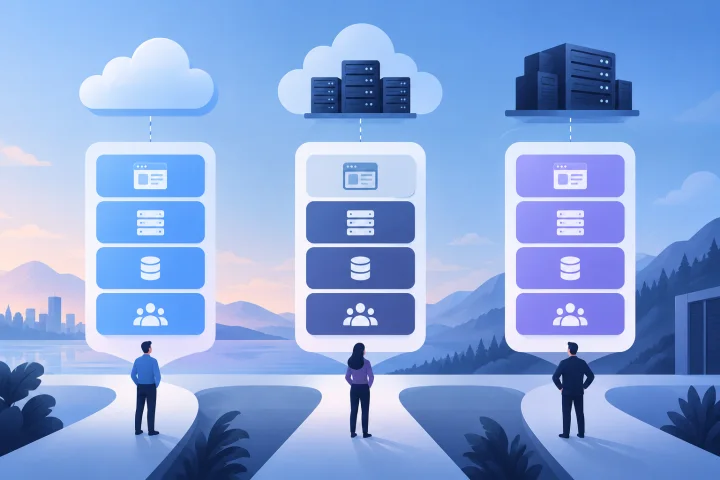
Start with the work the application must support
Choosing where to run an application is not just a choice between a vendor’s cloud and your own server. It is a decision about who will operate the layers that keep the application usable—and who will make the decisions about data, access, configuration and recovery.
Start by writing down the job the application must do, the systems it must connect to, who needs access, and what happens if it is unavailable. Then list the operational work your team can reliably own. A model that looks simple at sign-up may still require customer effort around identity, data handling, integrations or restoring service.
The labels are useful starting points, not complete contracts. SaaS, managed hosting and self-hosting can differ in scope from one provider or arrangement to another. Confirm responsibilities in vendor documentation and agreements before relying on an assumption.
- What business process depends on the application, and how disruptive would an outage or data loss be?
- Do you need to change the application, its deployment or its underlying configuration?
- Which integrations, identity controls and data-handling rules are mandatory?
- Who on your team will own administration, vendor follow-up and recovery decisions?

Define the models by who operates each layer
SaaS is generally an application delivered and operated by a provider. The provider typically operates the service and the infrastructure beneath it; customers use the application and manage their own users, settings and business processes. The exact division—especially for data export, identity, backups and incident response—depends on the service.
Managed hosting means a provider operates some hosting or infrastructure tasks for an application, while the customer retains responsibility for at least some application-level and organizational choices. The term does not specify a universal boundary. One provider may manage deployment and routine service operations; another may provide a narrower hosting layer. Ask what is included rather than inferring from the label.
With self-hosting, the organization runs the application on infrastructure it controls or arranges. That gives the organization more direct control over deployment and configuration, but also places more operational work on its team or contractors. Using a cloud infrastructure provider does not automatically make an application SaaS: your organization may still be responsible for operating the application.
A useful rule of thumb: distinguish the application from the infrastructure it runs on. A provider operating one layer does not, by itself, mean it owns every task in the layers above or below it.
- SaaS: usually the provider operates the application service; the customer still owns its use, users, data choices and governance.
- Managed hosting: the provider operates agreed hosting tasks; the customer retains the responsibilities not explicitly included.
- Self-hosting: the organization arranges operation of the application and its environment, directly or through its own service providers.

Use a responsibility matrix—and confirm the boundaries
The matrix below is a discussion tool, not a promise about every vendor. “Usually” describes a common starting assumption, not a guaranteed service. For managed hosting in particular, responsibilities vary substantially. Get the provider to mark up the same table for the specific application and plan you are considering.
Some tasks are shared. A provider can operate infrastructure backups, for example, while the customer decides what data must be retained, who can access it and how to respond to a recovery event. A backup feature is not the same as a tested recovery plan.
- Infrastructure operation — SaaS: usually provider; managed hosting: provider for the contracted hosting scope; self-hosting: organization or its chosen infrastructure providers.
- Application installation and updates — SaaS: usually provider controls service updates, subject to its release process; managed hosting: varies, so clarify who schedules, applies and validates updates; self-hosting: organization plans and applies them unless it delegates the task.
- Backups — SaaS: ask what is backed up, for how long, and whether customer restores are available; managed hosting: verify backup scope, schedule, retention and restore responsibility; self-hosting: organization must arrange and monitor backups or contract for them.
- Access and identity — all models: the customer must define who should have access and manage business-side authorization. Ask which identity controls the service supports and which party handles platform-level accounts.
- Data and governance — all models: the customer must decide what data to put in the application, who may use it, and what policies apply. Confirm provider commitments, data locations and handling terms directly with the vendor.
- Recovery — all models: agree on who detects and communicates incidents, who initiates recovery, what recovery options exist, and what the customer must do. Do not assume that hosting responsibility establishes a recovery time or outcome.
- Configuration and integrations — SaaS: bounded by the service’s available settings and interfaces; managed hosting: may allow more deployment-level flexibility, depending on the service; self-hosting: typically offers the most direct control, with corresponding operating work.
Compare trade-offs beyond operational effort
Control and effort usually move in opposite directions, but not perfectly. SaaS can reduce the need to operate the application stack, yet it may constrain deployment choices or customization. Self-hosting can provide more direct control, yet that control is useful only if someone can maintain the environment. Managed hosting can delegate defined operational work without necessarily transferring control of the application or responsibility for business decisions.
Also consider dependencies and portability. A service may rely on provider-specific configuration, integrations, identity features or data formats. Moving between models can require more than copying a database: application files, configuration, credentials, integrations and user access may also need attention. Ask about these before choosing, not only when planning to leave.
- Control: Which application, deployment and configuration decisions must remain yours?
- Customization: Are required changes supported by the product, or do they require access to the application environment?
- Operational effort: Who will handle routine updates, monitoring, backup checks, troubleshooting and recovery coordination?
- Dependencies: Which identity, storage, email, API or other services must keep working for the application to be useful?
- Portability: Can you obtain usable copies of your data and configuration, and what would need rebuilding after a move?
- Accountability: When something fails, is there a named provider contact and a clear customer action path?
Identify requirements that can rule out a model
Some requirements are gates rather than preferences. If a service cannot meet a required integration, data-handling rule or recovery process, a lower operational burden will not compensate. Write down mandatory conditions first, then compare the remaining options.
Governance requirements may concern access approval, auditability, data handling or who can administer the service. The details depend on your organization and the vendor; do not assume that a deployment model alone establishes compliance. Validate the relevant controls and contractual commitments with the provider and, where appropriate, your internal specialists.
Recovery needs deserve particular care. Define which data and functions must be restored, who can authorize a restore, and what evidence you need that the process works. If a vendor’s answers do not match your requirement, that is a reason to reconsider the model or provider.
- SaaS may be a poor fit if a required deployment or customization is unavailable, or if the service’s data, integration or access arrangements do not meet a mandatory requirement.
- Managed hosting may be a poor fit if your team needs responsibilities the provider will not take on, or if the boundary between provider operations and customer operations remains unclear.
- Self-hosting may be a poor fit if no one can take accountable ownership of updates, backups, access administration and recovery—or if the organization cannot sustain that work.
- Any model may be a poor fit if the provider cannot explain how your data can be exported, how access is controlled, and what happens when you end the service.
Test the trade-offs with a realistic workload
Imagine a small operations team wants an application for internal project tracking. Staff need browser access, a connection to an existing identity or notification workflow, and a dependable way to recover records. The team has no in-house infrastructure specialist.
SaaS could suit the team if the service supports the required workflow and controls, and the provider’s data export and recovery arrangements are acceptable. Managed hosting could suit it if the team needs a particular application deployment and a provider clearly takes on the infrastructure tasks it cannot manage itself. Self-hosting could still be a viable choice if the organization has a named operator or contracted support and values the required control enough to own the ongoing work.
None of those outcomes follows just from the workload description. The team should test the actual integration, clarify account administration, review backup and restore arrangements, and estimate the work it will own. The exercise is useful because it turns “we want control” or “we want it managed” into verifiable requirements.
- List the workflow’s must-have features and integrations.
- Identify the person who owns application administration and access changes.
- Ask each provider to walk through a routine update and a data-recovery request.
- Record what the team must do during an outage, a staff departure or a planned migration.
- Reject options that fail mandatory requirements before comparing convenience.
Ask providers who handles routine operations
A useful vendor conversation asks for concrete workflows, not just a list of included features. Request an answer for ordinary maintenance as well as an unexpected problem. Where possible, have the provider distinguish what it performs, what it recommends, and what it expects the customer to do.
For an Airbip-managed deployment, Airbip describes its service as running application instances as Docker workloads on Airbip cloud servers. Its stated capabilities include automated routing and TLS certificates through Traefik and Let’s Encrypt, DNS checks, service lifecycle management, and configurable daily, weekly and monthly backups. These capabilities do not answer every responsibility question: confirm backup scope and retention, restore steps, access and data responsibilities, and any other requirement directly. Review the live Airbip website for current plans and commercial terms.
- Who installs and applies application updates? Can the customer choose when they happen?
- What monitoring and troubleshooting are included, and what events require customer action?
- What exactly is included in a backup, how long is it retained, and how does a restore work?
- Who manages application accounts, administrative access and identity integration?
- What data and configuration can the customer export, in what form, and through what process?
- Who communicates during an incident, and what information or action is expected from the customer?
- Which integrations, customizations or deployment changes are supported—and which are outside scope?
- Where are the service boundaries and exclusions documented?
Plan for data export, migration and service exit
Portability is easier to evaluate before adoption. Find out how to export records and files, whether configuration and user information can be moved, and whether integrations need to be recreated. Check whether the export is in a usable format for your next option; an export feature alone does not guarantee a simple migration.
Write down an exit plan proportionate to the importance of the application. Identify who requests the export, who verifies it, how you will handle access during transition, and what must happen to copies held by the departing provider. Confirm any timing, fees or conditions in the current vendor terms rather than relying on assumptions.
The right model is the one whose operating boundary, control level and exit path fit your requirements and capacity. SaaS, managed hosting and self-hosting can each be appropriate. The practical decision is not which label sounds safest, but whether every important responsibility has an owner.
- Request a sample or description of the data export before committing.
- Identify application data, files, configuration, user accounts and integrations that may need to move.
- Clarify who will validate the exported data and what constitutes a successful transition.
- Review service termination, data-retention and deletion terms with the vendor.
- Keep a responsibility record with a named customer owner for every task the provider does not explicitly accept.
Frequently asked questions
Is managed hosting the same as SaaS?
Not necessarily. SaaS generally means a provider operates the application as a service. Managed hosting describes a provider operating agreed hosting or infrastructure tasks for an application. The precise boundary varies, so ask who manages the application, updates, backups, access and recovery.
Does managed hosting mean I no longer have operational responsibilities?
No. A provider may take on specified hosting tasks, but customers still need to make decisions about data, user access, governance, integrations and business recovery needs. Confirm which routine and incident tasks remain yours.
Is self-hosting always more secure or more private?
The deployment label alone does not establish security or privacy. Outcomes depend on how the application is configured and operated, the controls in place, and the relevant provider terms. Compare the actual requirements and responsibilities for each option.
What should I verify about backups?
Ask what is backed up, how often, for how long, who can initiate a restore, and what steps the customer must take. Also ask how recovery is validated. A stated backup schedule does not by itself establish that a restore will meet your needs.
When does self-hosting make sense?
It can make sense when your organization needs direct control over deployment or configuration and has a capable, accountable operator or support arrangement for ongoing work. If nobody can own updates, backups, access and recovery, that operational gap may make another model a better fit.
Can I move from SaaS or managed hosting to self-hosting later?
Possibly, but portability depends on what data and configuration can be exported, the formats available, and the integrations or service-specific features you rely on. Check the exit process and test what you can before depending on a future migration.
Sources and further reading
- Self-hosted vs. SaaS project management tools — Plane
- Cloud vs. Self-Hosting: Which Should You Choose? — Circadian Risk
- Self-Hosting vs. SaaS Identity Providers: Decision Framework — Duende Software