Can Your RAG App Ingest the Documents You Actually Use? An Evaluation Checklist
A file-type list cannot tell you whether a RAG application extracts your real documents correctly. Build a representative test set, inspect the ingested content, and verify how updates, deletions and failures are handled.
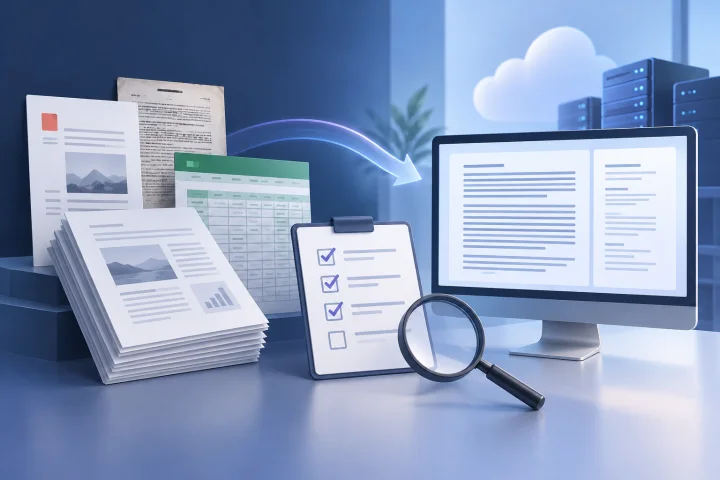
Why advertised file-format support is not enough
A compatibility list answers a narrow question: can the application accept a file with a particular extension? It does not tell you whether the content your team needs will be extracted completely and in a form the application can use.
A PDF may contain selectable text, scanned page images, complex tables, or a mixture of all three. Two files with the same extension can therefore create very different ingestion tests. Treat “supported” as a reason to test a format, not as proof that your documents are ready for search.
Keep this evaluation focused on the ingestion path: what content and metadata enter the system, what is missed or changed, and what happens when source files change. Assess answer quality and source attribution separately.
- Test actual documents from the teams and repositories you expect to use.
- Separate “upload accepted” from “content extracted correctly.”
- Record whether each test concerns file acceptance, extraction, metadata, or file lifecycle behavior.

Build a small, representative test set
Start with a small set that reflects your document sources rather than a large collection of convenient sample files. Include ordinary examples as well as the awkward files that staff actually rely on. A focused test set makes it easier to inspect results and repeat the same checks after configuration changes.
Include documents that vary in structure and origin. For scanned pages, use files where the text is only present as an image. For tables, choose examples where the relationship between headings, rows and values matters. Include long documents and documents with multiple sections so you can check whether content is lost or placed in an unexpected order.
Keep a simple manifest alongside the files. Note each file’s expected content, important fields, language, structure and any known quirks. This gives reviewers a reference when they inspect the ingested result.
- Ordinary files from each important source and common file type.
- Scanned pages, image-heavy documents and mixed text-and-image PDFs.
- Tables, forms, headers, footers, multi-column layouts and documents with lists.
- Short and long documents, including examples with multiple sections.
- The languages, naming conventions and metadata patterns present in your real collection.

Check extraction quality: text, structure, metadata and OCR
For every test file, compare the ingested content with the original. Check whether key text is present, whether the reading order makes sense, and whether headings and section boundaries remain recognizable. Look closely at values whose meaning depends on nearby labels, such as a table entry under a specific column heading.
For scanned material, test whether text is extracted at all and whether recognition mistakes change names, dates, identifiers or figures. Do not assume that a successful upload means OCR occurred. Confirm from the application’s documentation or by inspecting the resulting content.
Check metadata separately from body text. Depending on your use case, useful fields may include the filename, source location, document date, language or an internal identifier. Determine which fields are preserved, which can be supplied or edited, and which are not available. Avoid assuming that a field is retained just because it appears in the original file’s properties.
- Can you inspect or export the extracted content for a test file?
- Are key paragraphs present, readable and in a sensible order?
- Do table headers stay associated with the correct values?
- Does OCR capture critical names, dates, numbers and identifiers accurately enough for your use?
- Which metadata fields survive ingestion, and can you distinguish similar files afterward?
Test duplicates, updates and deletions
Document collections change. Test the file lifecycle explicitly instead of treating ingestion as a one-time upload. Use a harmless test copy and record what the application displays before and after each action.
Try ingesting the same file twice, then test two different files with similar names or overlapping content. The application may treat these situations differently; your goal is to establish its behavior, not to assume that duplicates are detected or merged.
Next, change a distinctive sentence or value in a test document and ingest the revised file. Check whether the old content remains, whether the new content appears, and whether you can tell which version is active. Then remove the source file using the documented process and check whether the ingested content is also removed or otherwise handled as your policy requires.
- Upload the exact same file twice and record whether it creates one or multiple ingested items.
- Test a revised file with the same name and a revised file with a different name.
- Check how the application distinguishes two documents with similar names.
- After an update, verify that old text does not remain unexpectedly alongside new text.
- After deletion, verify what happens to the ingested content and any associated metadata.
Observe failures, retries and partial completion
Include at least one file you expect to cause difficulty, such as a damaged file or an unexpected variant of a common format, if you can do so safely. Watch the whole process rather than checking only whether the upload screen accepted the file.
Record what the application shows when ingestion fails or appears incomplete. Useful signals might include a status, an error message, a log entry or an indication that processing is still underway; availability and detail vary by application, so verify them in a test rather than assuming they exist.
If the application offers a retry or reprocessing action, test it on a copy and note whether it resumes, starts over or creates a second item. Also determine whether a batch can partly succeed, and how you identify which files need attention.
- Can you distinguish queued, processing, completed and failed items, if those states are exposed?
- Does the error identify the file and give enough detail to decide what to try next?
- Can you retry a failed item, and is the result clear?
- If a batch partially completes, can you identify completed and unfinished files?
- Can administrators find relevant logs or other diagnostic information?
Compare extracted content before judging retrieval
When a search result seems wrong, the cause might be an ingestion problem, a retrieval configuration issue or something else. Inspecting the ingested content first helps separate these possibilities. If a key paragraph or table value never made it into the indexed content, changing answer settings will not restore the missing source text.
For each test document, choose a few distinctive passages or values in advance. After ingestion, locate those items in the extracted content or the closest inspection mechanism the application provides. Note omissions, duplicated text, reading-order problems and altered characters.
The LangChain tutorial on [evaluating a RAG application](https://docs.langchain.com/langsmith/evaluate-rag-tutorial) covers creating test datasets and running a RAG application on them. That kind of evaluation is distinct from checking how a particular application parses documents or handles file changes, so make ingestion checks their own test stage.
- Create a short expected-content checklist for each sample file before uploading it.
- Compare source and extracted content before running search or answer tests.
- Mark extraction defects separately from retrieval or response defects.
- If extracted content is not inspectable, ask the vendor what evidence or diagnostic method is available.
Record results and set acceptance criteria
A useful evaluation record is brief but repeatable. For every file, note its source, format, relevant characteristics, ingestion result, extraction observations, metadata outcome, lifecycle tests and any workarounds. Record the application configuration and test date so that a later run can be compared fairly.
Define acceptance criteria around your actual risks. For example, a team may require exact preservation of specific identifiers, usable text from a defined class of scanned pages, or a clear process for removing content when a source is deleted. Make the standard explicit rather than calling an ingestion result simply “good” or “bad.”
Decide what happens when a file fails the test. Options might include excluding that source, preparing a normalized copy, adding a manual review step or choosing a different application. If a workaround is necessary, document who owns it and how it will be maintained.
- Test file and source
- Expected content and metadata
- Observed extraction and any omissions or distortions
- Duplicate, update and deletion behavior
- Failure visibility, retry outcome and manual intervention
- Pass, conditional pass or fail against a written requirement
Questions to resolve in documentation or a direct test
Ingestion behavior is application-specific. Look for answers in current official documentation and confirm important requirements with your own test set.
Ask not just which formats are listed, but what processing occurs and what limits apply. Clarify whether OCR is available, whether it runs inside your environment or involves an external service, and what data may be sent outside your deployment. Do not infer these details from a format list.
For self-hosted deployments, hosting the application yourself does not automatically resolve every data-handling question. Confirm the processing path and dependencies, then make access, retention and governance decisions that fit your organization.
- Which file types and specific document structures are documented as supported?
- Are there limits on file size, page count, batch size, processing time or collection size?
- Is OCR included, optional or dependent on another component or service?
- Does any parsing, OCR or other processing send document content to an external service?
- Can you inspect extracted text and metadata, and what diagnostic details are available?
- What does the application retain after a source file is removed, and what steps are required to remove it?
Frequently asked questions
What is the difference between file support and successful document ingestion?
File support usually indicates that an application accepts a format. Successful ingestion means the content and relevant structure your team needs were extracted and made usable. Test both with real examples, including difficult documents.
How many documents should a RAG ingestion test set contain?
There is no universal number. Start with a manageable set that covers the important sources, formats, languages and edge cases in your collection. The goal is representative coverage and careful inspection, not a large sample for its own sake.
How can I test OCR without confusing ingestion with answer quality?
Choose scanned pages with a short list of expected names, dates, figures or phrases. Inspect the extracted content, if available, or use the diagnostic method documented by the vendor. Check recognition directly before evaluating search results or generated answers.
Should I assume an updated or deleted source file updates the ingested content automatically?
No. Behavior can vary by application and configuration. Test revised and removed files using the documented process, then verify what happens to the ingested content before relying on it for consequential material.
Does self-hosting guarantee that document processing stays within my environment?
No such conclusion follows from self-hosting alone. Check whether parsing, OCR or other processing depends on external services, and confirm what document data is sent and retained.
Sources and further reading
- Evaluate a RAG application — LangChain
- A complete guide to RAG evaluation — Evidently AI