Encryption at Rest for Self-Hosted Applications: What It Protects—and What to Verify
A practical guide to mapping encryption across application data, storage volumes and backups—and the questions to ask about keys, recovery and access.
Start with the threat you want to reduce
“Encrypted at rest” is not a complete description of a security boundary. Before comparing hosting or application options, decide what situation you are trying to address and who might access the data in that situation.
For example, are you evaluating the risk of someone accessing a storage device or backup copy outside the normal application, or are you concerned about an account with permission to sign in? Those are different questions. Encryption at rest does not replace access controls, sound application security or decisions about which data to collect and retain.
- Write down the data types involved: customer records, credentials, documents, messages, analytics or AI inputs and outputs.
- Name the access scenarios you care about, such as access to a storage copy, a provider’s operational access, an application administrator or a compromised user account.
- Separate the controls you need to verify: encryption, identity and permissions, application security, data retention and recovery.

Map the application’s data and every copy
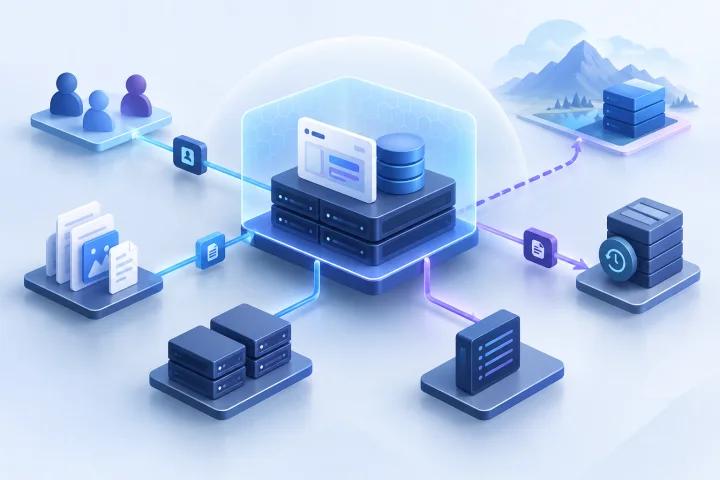
Start with a data-flow inventory rather than a single question about whether “the server” is encrypted. A self-hosted application may use several storage locations, and the same information may appear in more than one place.
Ask the application operator or hosting provider to help identify where each category is written. Do not assume that protecting the main data volume also answers questions about exports, diagnostic data, temporary files or backup copies.
- Database records, including account details and application content.
- Uploaded files and any separate file or object storage the application uses.
- Application, access and diagnostic logs, including whether sensitive values can appear in them.
- Exports, generated reports, temporary files and files staged during an import or restore.
- Snapshots, scheduled backups and any copies held for transfer or recovery.
- Application configuration and secrets, which may be stored separately from the main database.

Distinguish storage-layer encryption from application or database encryption
Storage-layer encryption is a claim about a particular storage layer or device. Application- or database-level encryption is a claim about how particular data is handled by the software or database. These descriptions are not interchangeable, and neither should be treated as proof that every copy or data type is covered.
For each claim, ask what exactly is encrypted, at what point in the data path, and what happens when the application needs to use the information. Request documentation for the actual service and configuration you will use; a general product description may not establish the scope for your instance.
- For provider-level or volume encryption, identify the covered volumes and whether snapshots and backup copies are included.
- For database-level encryption, ask which database files or fields are in scope and how the application obtains usable data.
- For application-level encryption, ask which data the application encrypts, where the keys are held and which application components can access them.
- Ask whether separate encryption layers can be used together and what operational trade-offs or dependencies that creates.
Check the scope, including snapshots and backups
A useful answer names the covered storage locations rather than relying on a broad label. Ask the provider to distinguish the running instance’s storage from snapshots, backup copies, exports and other retained data.
Airbip provides configurable daily, weekly and monthly backups for its managed application instances. That capability alone does not establish which data is included, how backup copies are protected, how long they are retained or how keys are managed. Verify those details for the service and configuration you are considering.
- Which volumes, databases and file locations are included—and which are not?
- Are snapshots and each type of backup copy covered by the same encryption claim?
- Are backups stored separately, transferred elsewhere or made available for download? What protection applies at each step?
- Are logs, exports, temporary files and configuration data part of the backup or outside it?
- What documented exclusions, retention periods or customer choices change the coverage?
Ask how encryption keys are handled
An encryption claim is incomplete for a practical evaluation if you cannot establish who or what can access the keys, how access is controlled and what happens when recovery is needed. Ask for written answers that match the specific storage and backup layers you have mapped.
Avoid inferring a key-management model from a phrase such as “encrypted storage.” If the answer is unclear, record it as unknown rather than assuming that keys are inaccessible to every operator or that recovery will always be possible.
- Who creates the keys, and who can use or administer them?
- How are key access and administrative actions controlled and documented?
- What is the rotation process, and what operational steps or interruption might it involve?
- Are keys backed up or recoverable? Who can authorize recovery, and under what circumstances?
- What happens to data and backups if a key is lost, disabled or no longer available?
- Do keys for backups follow the same process as keys for live storage?
Understand what encryption at rest does not settle
Encryption at rest does not protect data from an authorized application session or from someone using compromised credentials. Once information is available to an application or user with permission to access it, other safeguards matter.
That is why encryption should sit alongside access controls, secure application configuration and sound decisions about data handling. Consider who can administer the application, how accounts are protected, what information the application stores and how long it needs to remain there.
- Use least-privilege access where the application and hosting arrangement allow it.
- Review administrator and user access when roles change.
- Limit sensitive data in logs, exports and AI prompts or outputs where applicable.
- Set retention and deletion practices that reflect business and governance needs.
- Assess application security and account protection separately from storage encryption.
Build an evidence-based verification checklist
Use provider documentation, application documentation and direct written answers to establish what is known. Keep documented facts separate from assumptions, and note the date and scope of each answer so you can revisit it if the service or configuration changes.
For a managed deployment, ask about the service as operated—not only about the application’s general capabilities. Airbip runs application instances as Docker workloads on Airbip cloud servers and automates routing and TLS certificates through Traefik and Let’s Encrypt. Those listed capabilities do not establish the encryption coverage of instance storage or backups, so ask specifically about those items.
- Identify each data store and copy, then record its location and owner.
- For every layer, record the encryption claim, the documented scope and any exclusions.
- Record who can access and recover keys, and how rotation and loss are handled.
- Ask what evidence supports the answer: service documentation, configuration details or a written provider response.
- Mark each item as documented, confirmed in writing, unverified or not applicable.
- Review the checklist when you change applications, hosting arrangements, backup settings or data-handling practices.
Test recovery and assign ownership
A backup is only useful for your operations if your team understands how restoration works and who is responsible for each decision. Ask the provider or application operator what a restore involves, which data and configuration it restores, and what role—if any—keys play in the process.
Agree internally who owns application access, data retention and governance decisions, and who is responsible for provider questions and recovery coordination. Managed hosting can handle infrastructure tasks, but it does not remove the customer’s responsibility to decide what data to store and who should access it.
- Confirm how to request or initiate a restore and what information is required.
- Ask whether a recovery test can be performed and how its result will be documented.
- Verify that the test covers the data and copies your business actually needs.
- Record recovery contacts, approval responsibilities and unresolved dependencies.
- Document which decisions belong to your organization and which operational tasks the provider handles.
Frequently asked questions
Does encryption at rest mean every copy of my application data is encrypted?
Not necessarily. Verify the scope for the live database, uploaded files, logs, exports, temporary files, snapshots and each backup copy. Ask the provider to identify exclusions in writing.
Is provider-level disk encryption the same as application-level encryption?
No. They refer to different storage or data-handling layers. Ask what each implementation covers, where its keys are managed and which application components can access usable data.
Does encryption at rest protect data from a compromised account?
No. It does not protect data from an authorized application session or compromised credentials. Access controls, account protection and application security remain important.
What should I ask about encryption keys?
Ask who creates, accesses and administers keys; how access is controlled; how keys are rotated; whether and how they can be recovered; and what happens if a key is lost or unavailable. Ask whether backup keys follow the same process.
Does Airbip’s backup capability confirm that backups are encrypted?
No such conclusion follows from the stated capability. Airbip provides configurable daily, weekly and monthly backups, but you should verify which data is included and how backup copies and keys are protected for the service you plan to use.
Sources and further reading
- Docker documentation — Docker
- Traefik documentation — Traefik Labs
- Let’s Encrypt documentation — Internet Security Research Group
- NIST Cybersecurity Framework — NIST
- OWASP Application Security Verification Standard — OWASP