How to Decommission a Self-Hosted Application While Preserving Data and Removing Access Paths
A practical, staged runbook for retiring a self-hosted application while preserving usable records, removing access paths, controlling public exposure and documenting what remains.
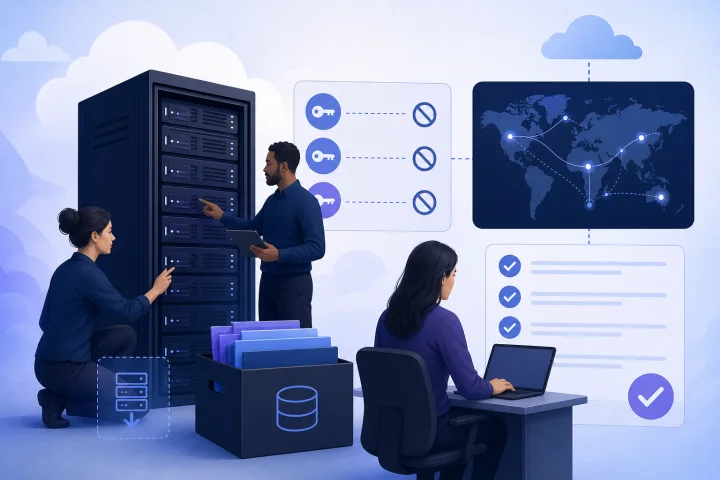
Application retirement is a data-governance project, not a server task
To decommission a self-hosted application safely, treat the work as a controlled retirement of records, workflows, identities and infrastructure. Stopping a container or deleting a virtual server may end the visible service, but it does not answer the important questions: which records must remain available, who can still access them, what other systems still depend on the application, and when retained copies should be deleted.
A sound retirement plan separates three outcomes that are often confused. An export is a usable representation of records for people or a replacement system. A recovery backup is a copy intended to restore the application after failure. A retention decision determines what information should be kept, for what purpose, under which controls and for how long. One artifact may sometimes support more than one purpose, but it should not be assumed to do so.
Assign one accountable application owner and involve the people responsible for operations, records, security, finance and business processes. If the application contains personal, financial, contractual or regulated information, obtain the appropriate legal, privacy or records-management guidance for your organization before destruction.
- Set a written retirement objective and target date.
- Name an owner for data decisions, technical execution and final sign-off.
- Record the reason for retirement, replacement or consolidation.
- Define success as both record availability and removal of unneeded access—not merely an offline server.

Choose the retirement state before planning the shutdown
Not every application should go directly from production to deletion. Select the intended end state first, because it determines how you migrate data, communicate with users and remove access.
A replacement migration is appropriate when another system will take over active work. Archive-only mode is appropriate when records may be needed but no new work should occur. Full shutdown is appropriate only when records have been handled according to the approved retention decision and dependencies have been removed. These states can be staged: production, read-only archive, then full retirement.
Do not use read-only mode as a vague postponement. Define who can enter, which records they may view, how access is approved, whether integrations are disabled, how long the archive will exist and what event authorizes its final disposal.
- Replacement: migrate active records, confirm ownership in the new system and set a clear cutover date.
- Archive-only: prevent changes, minimize user access and retain only the infrastructure needed for approved retrieval.
- Full shutdown: remove public routing, stop services, revoke credentials and dispose of infrastructure only after verification.
- Pause full retirement when legal holds, audit obligations, unresolved migration gaps or potential legal claims require continued preservation.

Build an inventory that follows the application beyond its main container
Start with an inventory that someone else could use to understand the application after the original administrator has left. Include the business purpose, owner, users, data categories, hosting location, domains, replacement system and retirement decision.
For Docker-based deployments, inventory persistent storage separately from containers. [Docker volumes](https://docs.docker.com/engine/storage/volumes/) are persistent data stores and can remain after a container is deleted. Deleting a stopped service container is not a data export: data outside a volume can be lost when containers are removed. Identify named volumes and anonymous volumes, as anonymous storage can be removed during container cleanup.
Preserve the deployment definition before changing it. Compose files can define services, networks, volumes and related configuration. Also identify production-specific Compose configuration, which Docker recommends for settings such as environment variables, restart policies and additional services such as logging. Capture configuration securely, and do not copy secrets into broadly accessible documents. [Docker Compose production guidance](https://docs.docker.com/compose/how-tos/production/) explains this separation.
- Databases, named volumes, anonymous volumes, bind-mounted directories and uploaded files.
- Compose files, environment files, deployment notes, image references, networks and reverse-proxy configuration.
- Domains, subdomains, DNS records, TLS certificates and public routes.
- Scheduled jobs, worker processes, queues, reporting tasks and log destinations.
- Inbound and outbound email settings, payment providers, webhooks, APIs, identity providers and analytics.
- Service accounts, administrator accounts, user groups, API tokens, SSH access and emergency or break-glass access.
- Vendor subscriptions, cloud resources, storage locations and billing owners.
Classify records before deciding what to export, retain or delete
Create a data disposition register rather than making ad hoc choices during shutdown. For each record set, document its purpose, business owner, sensitivity, retention basis, approved destination, retrieval method, access controls and deletion trigger. Separate operational records from system artifacts: customer files, invoices, audit evidence and signed documents may have different treatment from cache data, temporary uploads and logs.
For organizations subject to the GDPR, the storage-limitation principle means personal data should not be kept longer than necessary for its collection purpose. That does not mean immediate deletion is always correct. Retention may be necessary for reasons such as legal obligations or the establishment, exercise or defence of legal claims. See the [European Commission’s GDPR principles guidance](https://commission.europa.eu/law/law-topic/data-protection/information-business-and-organisations/principles-gdpr_en) and [GDPR Article 17](https://eur-lex.europa.eu/eli/reg/2016/679/2016-05-04). GDPR guidance is not a complete retention schedule and should not be read as legal advice: sectoral, contractual and jurisdiction-specific requirements may differ.
Retained archives require safeguards. Under the GDPR principles, integrity and confidentiality call for appropriate technical and organizational measures against unauthorized or unlawful processing and accidental loss, destruction or damage. Limit archive access to the people who need it, and record who approves retrieval.
- Keep: approved records with an identified purpose, owner, retention period and access method.
- Export: records needed for an operational replacement, audit, customer service or future evidence.
- Delete: data with no approved retention purpose once holds and dependencies have been checked.
- Document: decisions, approvers, archive locations, deletion dates and exceptions.
Validate exports as usable records, not just successful downloads
An export is useful only if the organization can identify it, open it, interpret it and relate it to the original records later. A database dump or volume archive may be valuable for recovery, yet be unsuitable for a finance, support or legal team that needs a specific invoice, customer history or document without reconstructing the full application.
For every export, document the scope, cutoff time, source application, format, encoding, record counts where meaningful, attachment handling, field definitions and responsible owner. Include enough context to interpret identifiers, status values and timestamps. Keep export manifests with the archive, not only in a departing administrator’s notes.
Test with realistic retrieval questions. Ask the designated record owner to find a representative set of records, open associated files, confirm important fields and compare results to the live application before shutdown. If migration is involved, reconcile the source and destination and resolve exceptions before final cutover.
- Can an authorized non-administrator locate and read a record later?
- Are file attachments and uploaded documents included and linked correctly?
- Do exports include required relationships, identifiers and timestamps?
- Are the format and any required software documented?
- Is the archive owner known, and is retrieval access tested?
- Has a representative sample been reconciled against the source?
Map and disable every external dependency
A retired application can still send email, accept requests, trigger automation or incur third-party charges if its dependencies remain active. Build a dependency map that shows direction: what calls into the application, what the application calls out to, and what runs on a schedule without a user action.
Review runtime configuration carefully. Treat secrets separately from ordinary settings. Identify sensitive values in application, host and deployment configuration, then revoke or rotate them rather than relying solely on infrastructure deletion.
Disable dependencies in a deliberate order. Stop scheduled producers and inbound webhooks before taking the final data snapshot, so new records do not arrive unexpectedly. Then revoke outbound credentials and disable consumers that expect the application to respond. Keep a record of each change and its verification result.
- Webhook endpoints and signing secrets.
- API keys, OAuth clients and integration tokens.
- SMTP credentials, mail forwarding rules and inbound mail routes.
- Identity-provider applications, SSO connections and provisioning rules.
- Payment-service keys, callback URLs and subscription dependencies.
- Scheduled jobs, queues, workers, cron tasks and external automation.
- Monitoring, alerting, logging and data-export destinations.
Remove access in layers: people, machines and public routes
Deleting user accounts inside the application is necessary but not sufficient. Access can persist through administrator credentials, shared passwords, API tokens, service accounts, SSH keys, identity-provider sessions, reverse-proxy authentication and emergency accounts. Build an access register and assign an owner to attest that each path has been removed or intentionally retained for archive access.
Plan the order carefully. Preserve a narrowly controlled emergency access path until exports, recovery copies and verification are complete. Do not leave it undocumented or shared. Once sign-off is obtained, revoke the final administrative path and record the time, actor and evidence.
If Traefik is part of the deployment, review routers as part of public-exposure removal. An [HTTP router](https://doc.traefik.io/traefik/reference/routing-configuration/http/routing/router/) matches incoming requests and forwards them to a service. If the Traefik API or dashboard is enabled and the relevant configuration is accessible, it can help enumerate routers, services, middlewares, entry points and relationships. The [Traefik API and dashboard documentation](https://doc.traefik.io/traefik/operations/dashboard/) warns against public production exposure; restrict it to authorized administrators and internal networks.
- Deactivate user accounts and remove privileged roles.
- Revoke or rotate administrator passwords, API tokens and service-account credentials.
- Remove SSO and directory-group assignments; verify deprovisioning behavior.
- Remove SSH keys, server-console access and shared secrets.
- Disable proxy routes and authentication configuration no longer needed.
- Keep only approved, time-bounded archive access until final retirement.
Shut down the workload, remove DNS exposure and verify retirement
Perform the final shutdown only after the approved export, archive and dependency work is complete. Stop the application workload and associated workers, schedulers and supporting services that are no longer required. Before declaring retirement complete, disable restart behavior in the production deployment definition as well as in the running environment. Docker Compose supports restart policies including `always`, `on-failure` and `unless-stopped`; a stopped service can otherwise return after a host or service restart. See the [Docker Compose service reference](https://docs.docker.com/reference/compose-file/services/).
Handle domains and DNS as an explicit cutover task. List every hostname, record type and public route that reaches the application, including subdomains used for webhooks, APIs or mail-related services. For each hostname, decide whether to remove the record, redirect users to an approved replacement or retain a restricted archive destination. Record the intended destination and owner before changing DNS.
Allow for the DNS TTL and propagation behavior applicable to the records you change. After the planned change window, test each former hostname from the relevant networks and confirm that it no longer resolves or routes to the retired application. Also test any approved redirect or replacement destination. Check reverse-proxy configuration and, where applicable, Traefik routers and services, so an obsolete route does not continue forwarding requests to the workload.
Capture verification evidence before infrastructure disposal. This can include the stopped-service state, the disabled restart configuration, DNS and route test results, dependency-disable confirmations, access-revocation records and archive acceptance. Retain the evidence with the retirement record so the final state can be understood and audited later.
- Stop the application, workers, queues and scheduled services that are no longer approved.
- Disable Compose or other workload restart behavior before final sign-off.
- Remove, redirect or restrict every approved DNS record and public route.
- Verify former hostnames no longer reach the application after the planned DNS change window.
- Confirm any replacement destination or archive route behaves as intended.
- Record shutdown time, executor, tests performed, results and exceptions.
Frequently asked questions
Is deleting a Docker container enough to decommission an application?
No. [Docker volumes](https://docs.docker.com/engine/storage/volumes/) can persist after a container is deleted, while data outside a volume may be lost when stopped service containers are removed. Inventory persistent storage, exports, configuration, credentials, routes and integrations before removing containers or infrastructure.
What is the difference between an export and a backup?
An export is intended to make records usable by people or another system. A backup is intended to restore the application after a failure. Assess each separately: a volume archive may restore an application but be difficult to search, while a CSV or document export may be readable but insufficient for full recovery.
Should a retired application stay online as read-only?
Only when there is a defined need for ongoing retrieval and a controlled plan. Set the permitted users, access approval process, duration, security controls, disabled integrations and final retirement trigger. Read-only mode should not be an indefinite substitute for a retention decision.
Do we need to revoke a TLS certificate when retiring a site?
Consider revocation if the private key may have been exposed. Let’s Encrypt also identifies cessationOfOperation as the applicable reason when a subscriber is discontinuing a website and will no longer use its certificate. See [Let’s Encrypt’s certificate revocation guidance](https://letsencrypt.org/docs/revoking/). Remove the public route and DNS exposure as part of the wider shutdown plan.
How does managed Docker hosting affect decommissioning?
Managed hosting can centralize infrastructure tasks such as service lifecycle management, DNS checks, routing, TLS automation and configurable backups. It does not remove the customer’s responsibility to decide which records to retain, validate exports, approve access removal, manage legal or privacy obligations, and assign archive ownership. For example, Airbip runs application instances as Docker workloads on its cloud servers and manages routing and TLS through Traefik and Let’s Encrypt, while customers retain these governance decisions.
Sources and further reading
- Docker volumes documentation — Docker
- Docker Compose CLI reference — Docker
- Docker Compose service reference — Docker
- Docker Compose production guidance — Docker
- Traefik API and dashboard documentation — Traefik Labs
- Traefik HTTP router documentation — Traefik Labs
- Let’s Encrypt certificate revocation documentation — Internet Security Research Group
- GDPR principles guidance — European Commission
- GDPR text, Regulation (EU) 2016/679 — EUR-Lex
- NIST SP 800-88 Rev. 1, Guidelines for Media Sanitization — National Institute of Standards and Technology